Recognized by top app review and tech websites worldwide!




Family life runs better when everyone is on the same page.
Kupola brings the everyday coordination of family life into the same app you already trust for safety, so plans, chores, and mornings stop depending on repeated reminders.

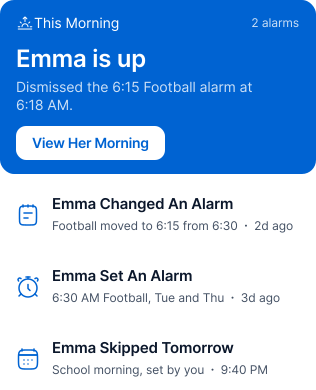
Alarms
set wake-up alarms on your child's phone and know when they're up.

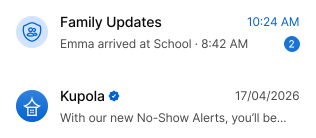
Family Chat
talk with your kids and see family updates in one place.

Tasks
share chores and responsibilities, and approve them when they're done.


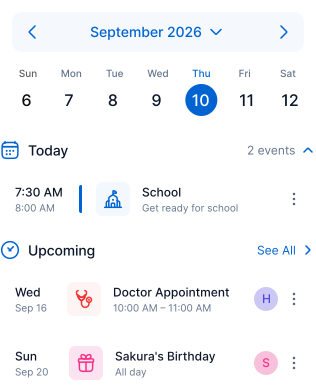
Calendar (coming soon)
keep school, activities, and family plans visible to everyone.
Built for the everyday moments that need a little coordination.
These are the moments where a shared plan works better than another reminder.
Is she up yet?

Set an alarm on their phone. You're notified when it's dismissed, so you're not knocking on doors.
- School mornings
- Early practice
- Exam days

Good luck today
Add a short note to the alarm. Your child sees it when they wake up.

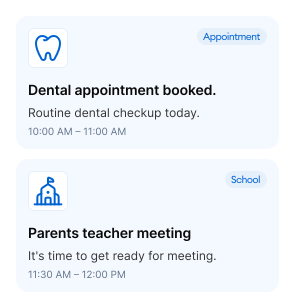
Who forgot the dentist?
Keep appointments and school events on one shared calendar, so nothing depends on one person.

Plans just changed
A quick message in Family Chat keeps everyone updated without phone calls.
- pickup changes • late practice • last-minute plans
I asked three times
Add it as a task once. Your child marks it done, and you approve it.
Four tools. One team.
Start with one. Add the rest when you’re ready. Kupola keeps the system simple and consistent.
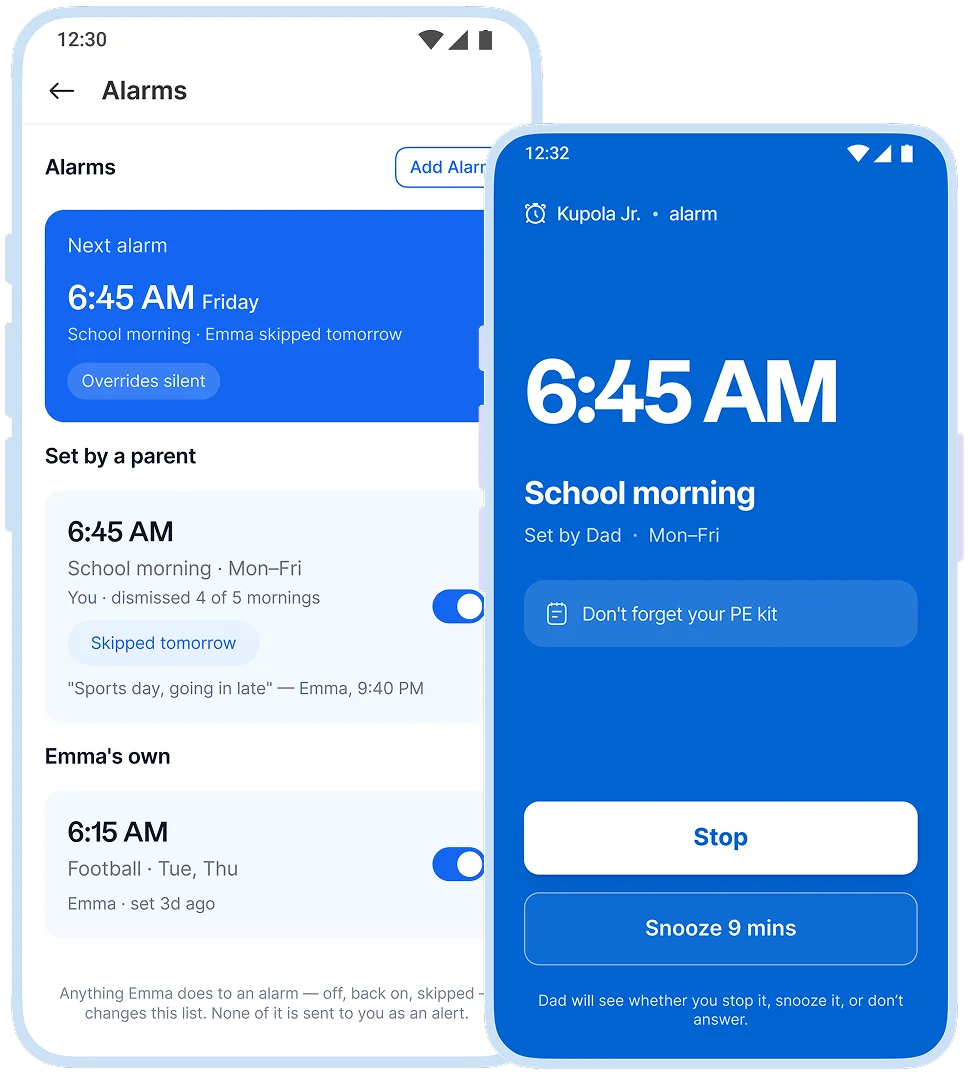
Wake-ups without the wake-up call
Set an alarm on your child's phone and add a short note. You're told when it's dismissed or goes unanswered.
 School mornings
  Weekend activities
  Early starts
  Measure what’s improving
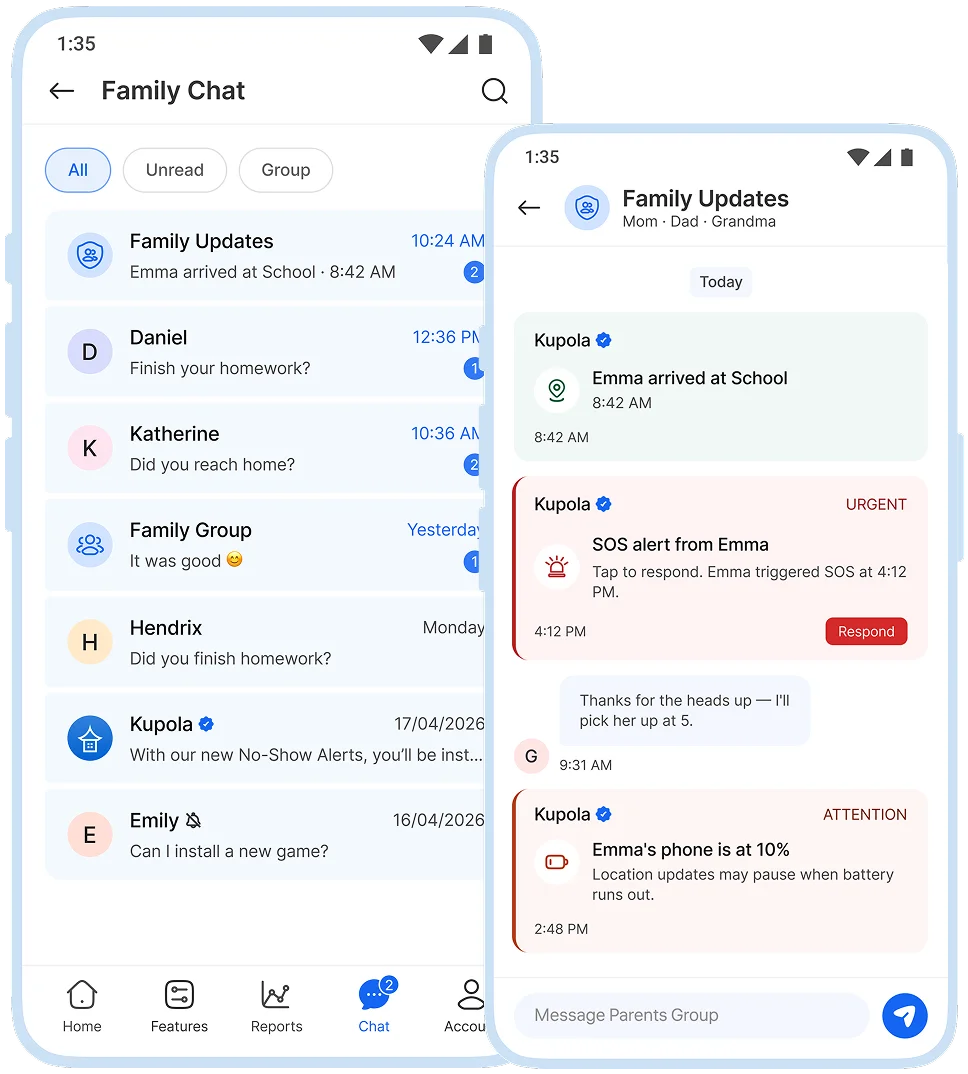
Talk as a family, in one place
Message your kids in Kupola. Arrivals, SOS, and low-battery alerts appear in chat too.
 daily check-ins
  plan changes
  family updates
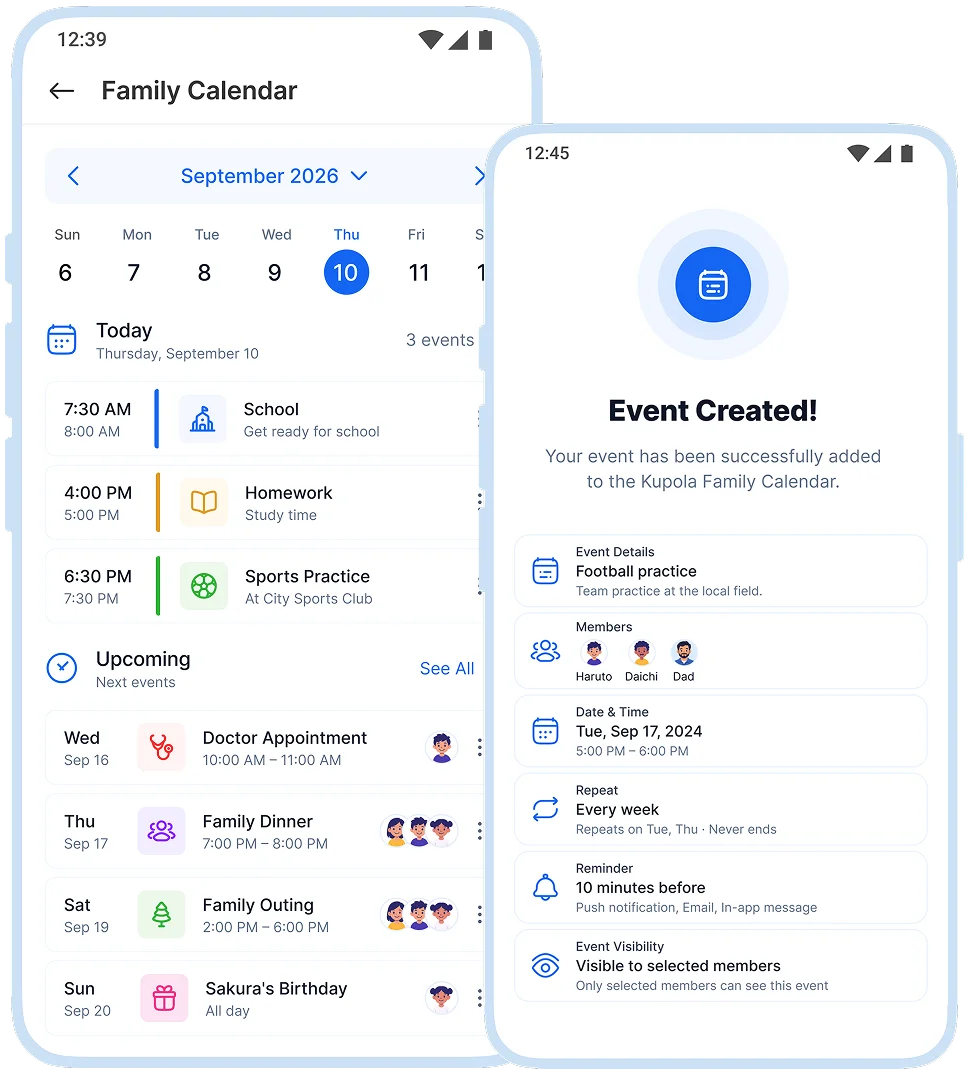
One calendar for everyone
School events, appointments, and activities, shared with the whole family.
 appointments
  school events
  after-school activities
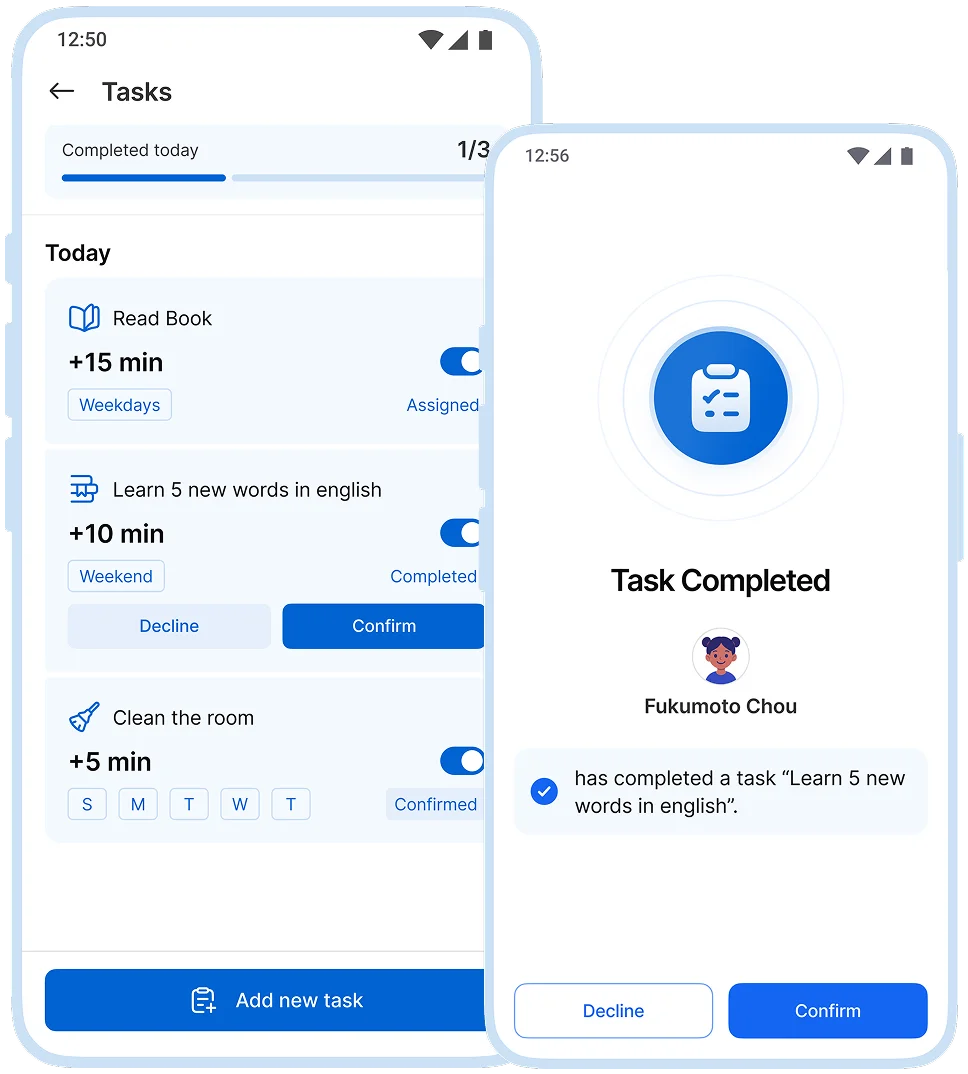
Share chores. Approve when done
Create a task. Your child marks it done and sends it to you to approve.
 household chores
  homework
  weekly routines
You control what’s enabled for each child, and you can adjust settings anytime.
Start small. Grow together.
Most families begin with a school-morning alarm and one or two tasks, then build from there.
Set A Morning Alarm
Start with School morning

Chat As A Family
Quick check-ins, fewer calls

Plan The Week
Family calendar, coming soon

Share A Task
Approve it when it's done

Set up in Minutes.
Three steps on two phones, and your family is connected today.
 ~1 min
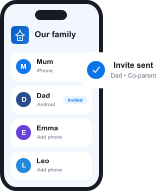
Get Kupola on your phone
Create your family and invite a co-parent or guardian.
 ~2 min
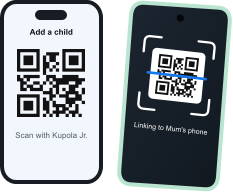
Link your child's phone
Install Kupola Jr. and scan the QR code. Kupola shows what's supported on that phone.
 Done
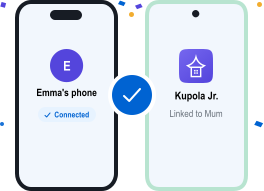
DoneYou're all set
Your family is connected. Turn on the features you need, whenever you're ready.



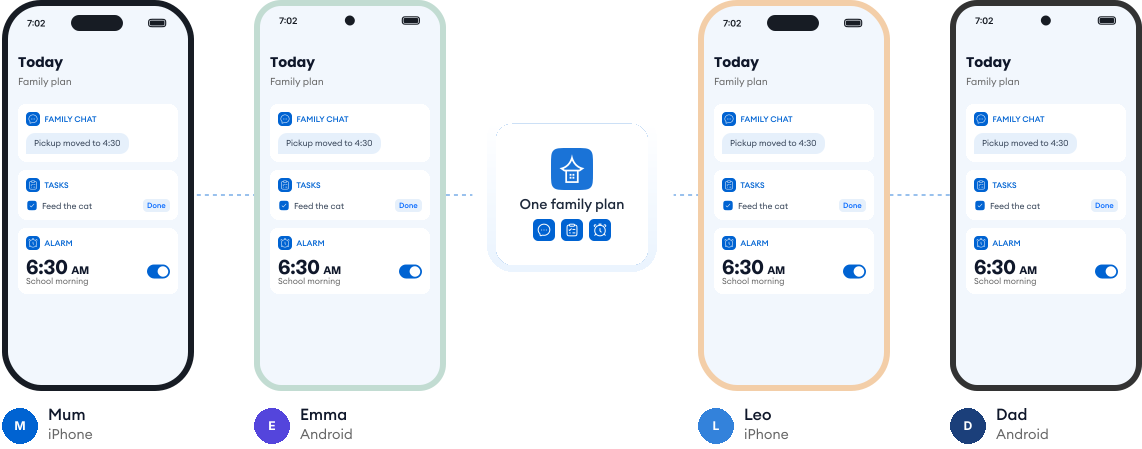
Works on every phone in your family.
Most families use a mix of phones. Kupola works across iPhone and Android, so everyone stays on the same page, and you always see what's available on each child's phone.
Loved by families who plan together.
Real reviews from parents using Kupola day to day.
Emily R. Mom of two
The morning alarm changed our school days. I know she's up without knocking on her door.
James W. Dad of a middle-schooler
Chores stopped being a fight. He marks it done, I approve it, and that's it.
Sarah M. Parent & co-guardian
Family Chat keeps both of us in the loop, even when plans change last minute.
Oliver H. Family of five
Family Alarm has made our mornings smoother. Everyone knows what's next without hearing the same reminders from me.
Charlotte B. Co-parenting two kids
The shared calendar keeps us both updated. School events, activities, and changing plans are much easier to coordinate.
Thomas G. Parent of a middle-schooler
Tasks are finally clear and simple. He knows what's expected, checks things off, and earns his extra screen time.
Sophie L. Busy household of four
Family Chat makes coordinating our days easier. Everyone gets the same update, so there's much less confusion at home.
Liam C. Three kids, lots of activities
The family calendar keeps everything together. Sports, school events, and appointments are much easier for us to manage.
Olivia P. Parent of a 9-year-old
Screen time rewards work really well for us. She completes her tasks without turning every chore into an argument.
Common questions about Collaboration.
Everything you need to know about how Kupola works, what it does, and how you stay in control.
Can my child see the tasks and alarms I set?
Yes. Tasks and alarms are visible to your child, so expectations are clear.
Will I know if my child doesn't wake up?
Yes. You're notified when the alarm is dismissed. If it rings and isn't answered, Kupola lets you know.
Can I skip an alarm for a day off?
Yes. You can skip the next alarm, turn it off, or change the time anytime.
How does task approval work?
Your child marks a task as done, and you receive a request to approve it.
Can other caregivers use Family Chat?
Yes. Co-parents and guardians can join Family Chat, and you decide what each person can access.
Does this work on iOS and Android?
Yes. Family Chat and Tasks work on both. Alarms need Android or iOS 26 and later.
Privacy-first by design.
We prioritize privacy with GDPR and COPPA compliance, strong security practices, and clear controls that keep families in charge.

Compliance you can trust
Built with GDPR and COPPA requirements in mind to protect families and children’s data.

Encryption for sensitive data
Data is protected with encryption to reduce the risk of unauthorized access.

Access stays in your family
Child information is only visible to approved parents/guardians in your Kupola family.

Control anytime
Adjust what’s shared, change settings, and manage permissions whenever you need.

Data minimization
We collect only what’s necessary to deliver family safety, routines, and insights.

Clear retention & deletion
Manage history and request deletion when you no longer need the service.
