

Two apps, one for each phone.
Start with Kupola on your phone, then add Kupola Jr. to each child's phone. The two link together, so your family shares one plan.

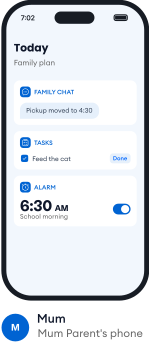
Kupola
Set up your family, choose features,
see what's happening.

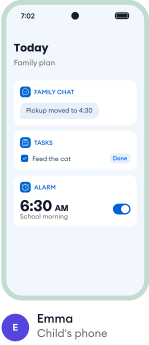
Kupola Jr.
Links to your phone and keeps your
family's plan on their device.
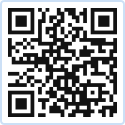
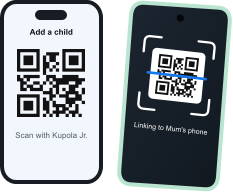
You'll get this during setup: Kupola shows a code to scan on your child's phone.
Set up in Minutes.
Three steps on two phones, and your family is connected today.
 ~1 min
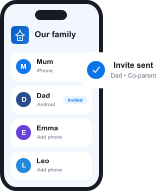
Get Kupola on your phone
Create your family and invite a co-parent or guardian.
 ~2 min
Link your child's phone
Install Kupola Jr. and scan the QR code. Kupola shows what's supported on that phone.
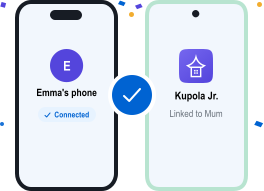 Done
DoneYou're all set
Your family is connected. Turn on the features you need, whenever you're ready.
Before
you install
Kupola and Kupola Jr.
iOS 18.0 or later · Android 7.0 or later

Family alarms
Family alarms on iPhone need iOS 26 or later
Some features differ between iPhone and Android. See what works on each phone
Need help?
Privacy-first by design.
We prioritize privacy with GDPR and COPPA compliance, strong security practices, and clear controls that keep families in charge.

Compliance you can trust
Built with GDPR and COPPA requirements in mind to protect families and children’s data.

Encryption for sensitive data
Data is protected with encryption to reduce the risk of unauthorized access.

Access stays in your family
Child information is only visible to approved parents/guardians in your Kupola family.

Control anytime
Adjust what’s shared, change settings, and manage permissions whenever you need.

Data minimization
We collect only what’s necessary to deliver family safety, routines, and insights.

Clear retention & deletion
Manage history and request deletion when you no longer need the service.
