Recognized by top app review and tech websites worldwide!




Safety that feels calm, not invasive.
Kupola helps families stay connected during real-life moments—pickups, commutes, and busy days—using a few trustworthy signals instead of constant tracking.

Check in when it matters
Open the map for reassurance, not for hovering.

Smart alerts, not noise
Get notified for meaningful changes, not every move.

Emergency-ready
Clear SOS tools for urgent situations.


Built for real routines
School, practice, meetups, and shared caregiving.
Built for the moments parents actually worry about.
These are the situations where routines help most when you need less negotiation, fewer distractions, and a calm way to reset.
School mornings

Get a clear signal when they arrive so you can move on with your day


After-school downtime
Let kids relax while keeping screen time balanced and easy to manage.
After-school pickup changes
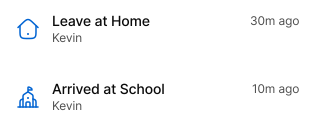
Know when they leave, and coordinate pickups without repeated messages.


Urgent situations (SOS)
A fast way to ask for help when a call isn’t possible.
- child feels unsafe • child lost / separated • urgent pickup request
Low battery
A heads-up before the phone dies so you’re not suddenly disconnected.
Five tools that work together.
Start with one. Add the rest when you’re ready. Kupola keeps the system simple and consistent.
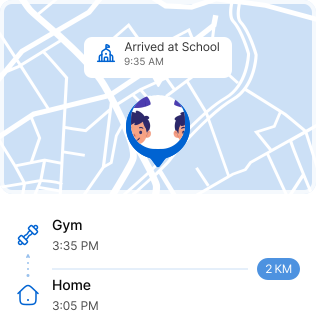
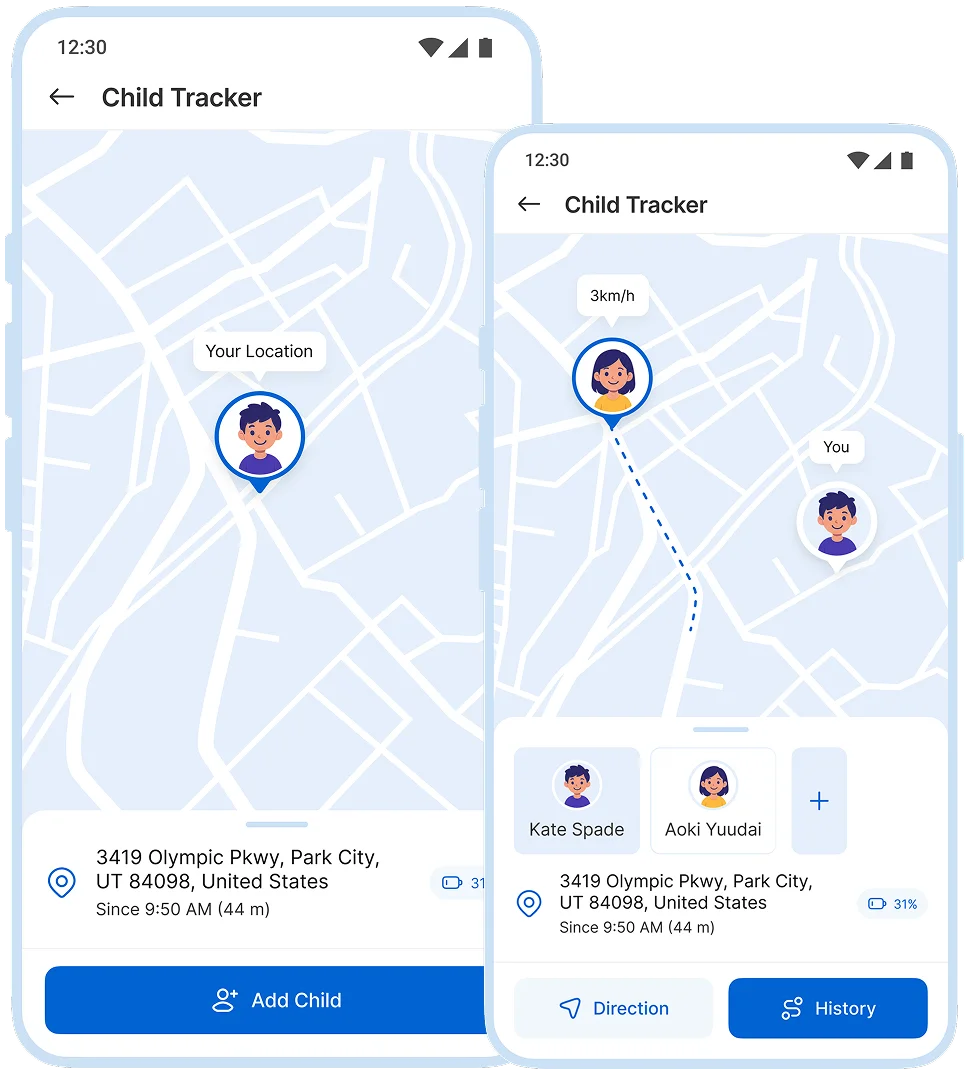
Live Location when you need it
Check live location for reassurance during pickups, commutes, and busy days without turning it into constant monitoring.
 Are they on the way?
 Did they leave already?
 Which pickup point are they at?
 Customize routines to fit your family
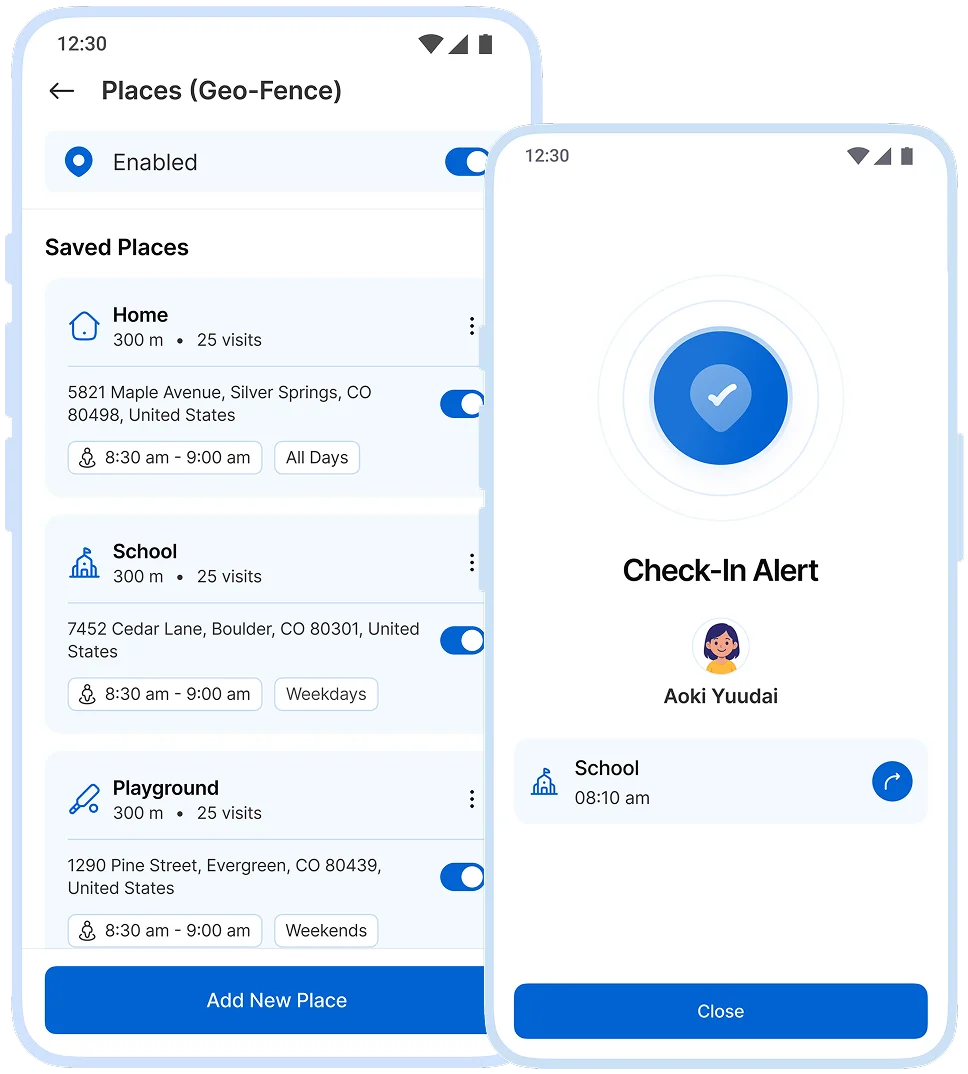
Safe places, smart alerts
Set key locations like home and school, and get notified when they arrive or leave so you don’t have to keep checking.
 Arrive/leave school
 Arrive home
 Leave practice early
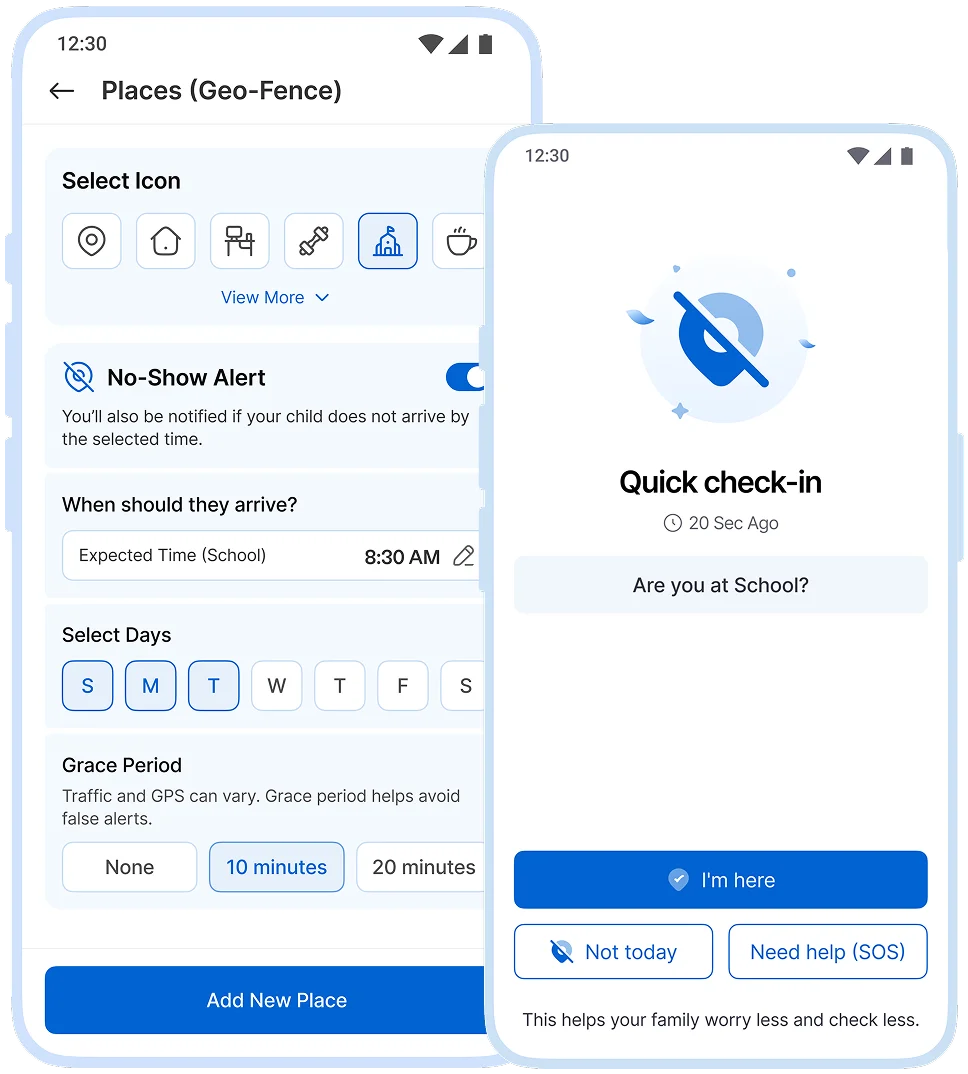
Alert me if they don’t arrive
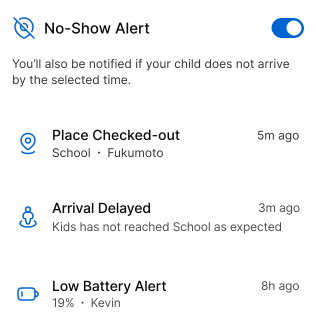
Choose a place and a time window. If they don’t arrive by then, you’ll get a heads-up simple, calm, and practical.
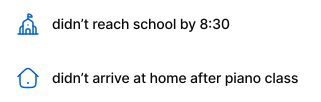
 Missed school arrival window
 Didn’t reach home after gym
 Didn’t arrive at meetup spot
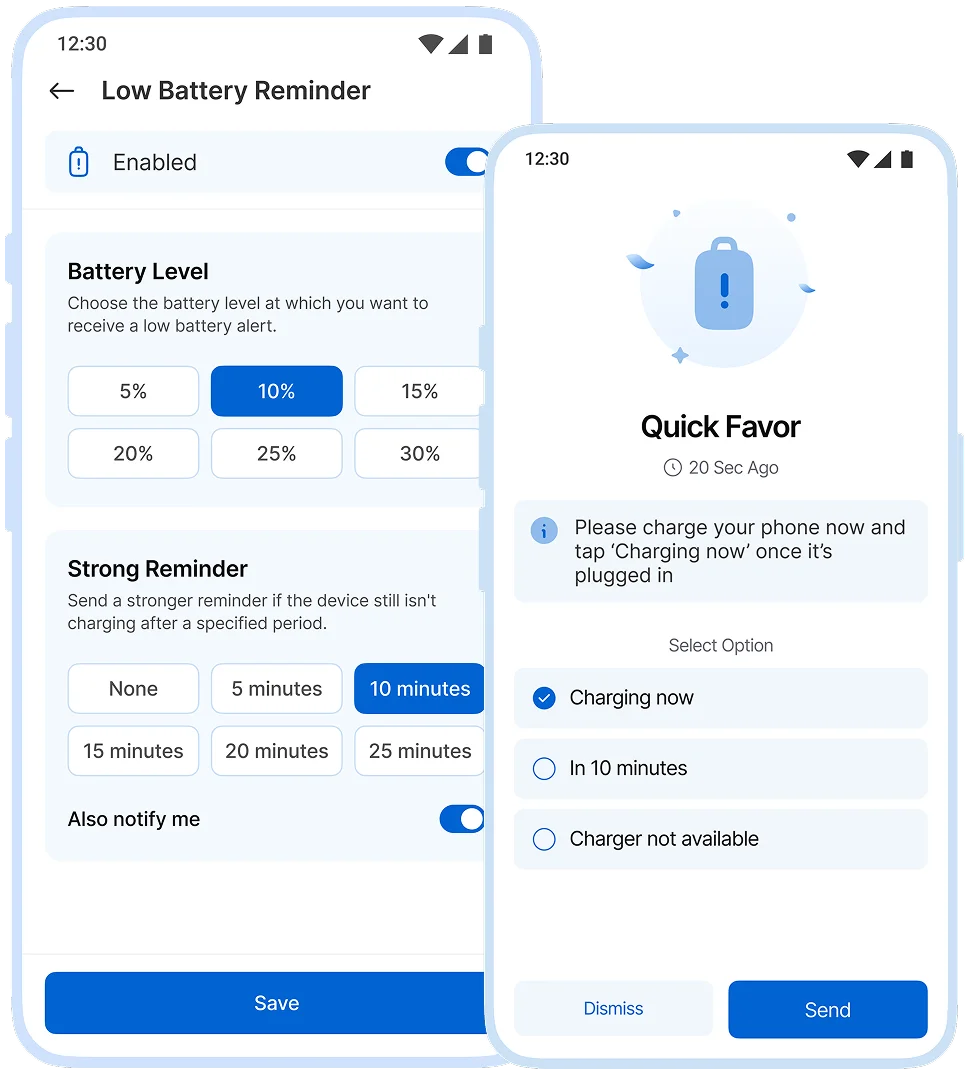
Don’t get surprised by a dead phone
Get a notification when battery is low so you can stay connected when it matters most.
 Battery below threshold
 Charge reminder
 Backup plan if it dies
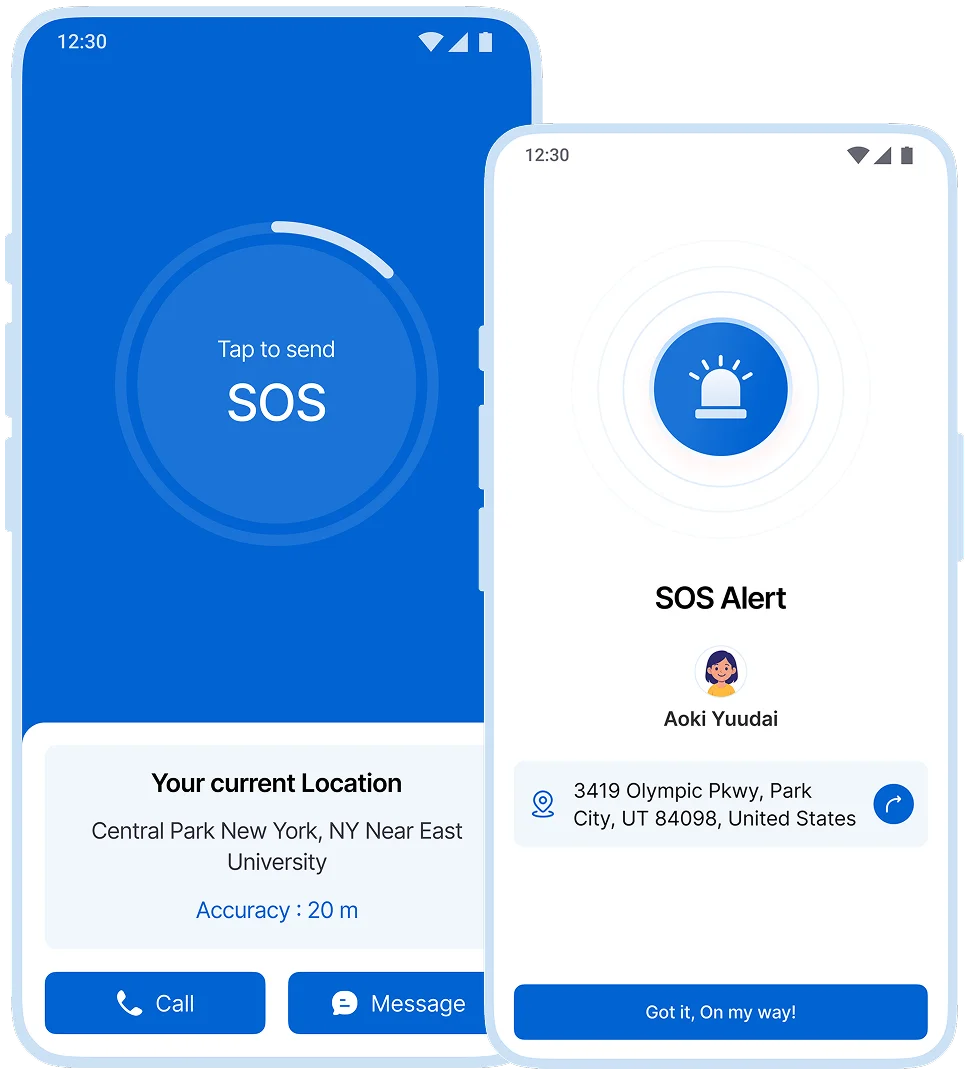
When they need you right away
A quick way for your child to request help designed for urgent moments when typing or calling isn’t ideal.
 Feels unsafe
 Emergency-ready
 Needs immediate pickup
You control what’s enabled for each child, and you can adjust settings anytime.
Set up family safety in minutes.
Most families start with two places (home and school), then add alerts that match their schedule.
Connect your child
Add your child’s device and enable location sharing for safety features.

Add key places
Create places like home, school, and practice for automatic arrive/leave alerts.

Choose smart alerts
Turn on geofence, no-show, and low-battery alerts only what you actually need.

Keep SOS ready
Enable SOS so your child can reach you fast in urgent moments.

Set up in Minutes.
Three steps on two phones, and your family is connected today.
 ~1 min
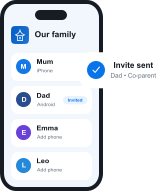
Get Kupola on your phone
Create your family and invite a co-parent or guardian.
 ~2 min
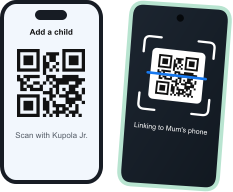
Link your child's phone
Install Kupola Jr. and scan the QR code. Kupola shows what's supported on that phone.
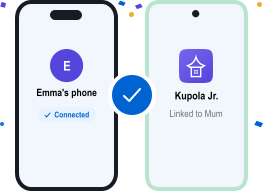 Done
DoneYou're all set
Your family is connected. Turn on the features you need, whenever you're ready.


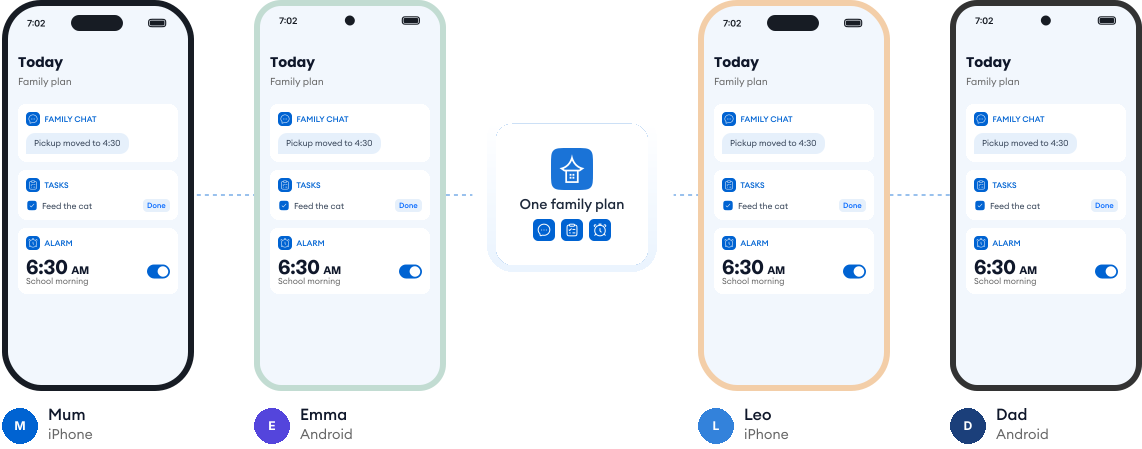
Works on every phone in your family.
Most families use a mix of phones. Kupola works across iPhone and Android, so everyone stays on the same page, and you always see what's available on each child's phone.
Loved by families for harmony.
Real reviews from parents using Kupola day to day.
Sarah M. Mom of two
I finally feel in the loop without checking every little thing. Kupola gives me the right updates at the right time.
Michael R. Dad of a teen
The setup was simple, and the routines actually stuck. It makes expectations clearer for everyone.
Jessica B. Mom & co-parent
We don’t always have the same schedule, but Kupola helps us stay on the same page without extra back-and-forth.
Chris T. Dad of a middle-schooler
I like that it focuses on patterns instead of constant monitoring. It gives me something useful to act on.
Amanda L. Parent of two
The controls are easy to understand, and my kids know what to expect. It’s brought a lot more consistency to our days.
Brian W. Guardian of a teen
I wanted something practical, not intrusive. Kupola gives me the important alerts while still giving them room to grow.
Sarah M. Mom of two
I finally feel in the loop without checking every little thing. Kupola gives me the right updates at the right time.
Michael R. Dad of a teen
The setup was simple, and the routines actually stuck. It makes expectations clearer for everyone.
Jessica B. Mom & co-parent
We don’t always have the same schedule, but Kupola helps us stay on the same page without extra back-and-forth.
Have a question?
Everything you need to know about how Kupola works, what it does, and how you stay in control.
Does Kupola track location all the time?
No. Kupola focuses on safety in key moments, not constant tracking. You can check your child’s location when needed, such as during pickups or outings. Location is used only to support features like geo-fences and no-show alerts, so you’re notified when something needs attention, without ongoing monitoring.
What’s the difference between geofence and no-show alerts?
Geofence alerts notify you when your child arrives at or leaves a specific place, like school or home. No-show alerts notify you only if your child does not arrive at a scheduled place by the expected time. This keeps alerts calm and meaningful.
Can I set different places for different kids?
Yes. You can create custom locations and safety rules for each child, based on their routines, school, and activities.
When does low-battery alert trigger?
Low-battery alerts trigger before the battery becomes critically low, giving you enough time to reach your child or ask them to charge their device.
Who can see my child’s location?
Only approved parents or guardians connected to your family account can see your child’s location. Kupola does not share location data with third parties, keeping your family’s information private and secure.
Privacy-first by design.
We prioritize privacy with GDPR and COPPA compliance, strong security practices, and clear controls that keep families in charge.

Compliance you can trust
Built with GDPR and COPPA requirements in mind to protect families and children’s data.

Encryption for sensitive data
Data is protected with encryption to reduce the risk of unauthorized access.

Access stays in your family
Child information is only visible to approved parents/guardians in your Kupola family.

Control anytime
Adjust what’s shared, change settings, and manage permissions whenever you need.

Data minimization
We collect only what’s necessary to deliver family safety, routines, and insights.

Clear retention & deletion
Manage history and request deletion when you no longer need the service.
