Recognized by top app review and tech websites worldwide!




Healthy habits start with predictable boundaries.
Kupola helps you turn phone rules into routines so kids know what to expect and parents don’t have to negotiate every day.

Designed for cooperation
Clear routines reduce conflict and help kids buy in.
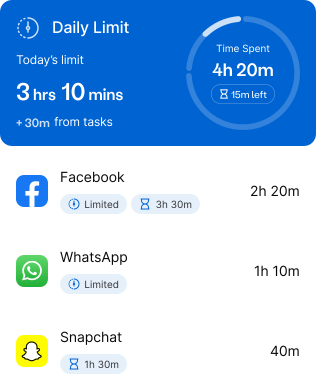

Fair by default
The same rules apply every day, not based on mood.

Attention Mode
Pause the phone for important moments, then resume with one tap.


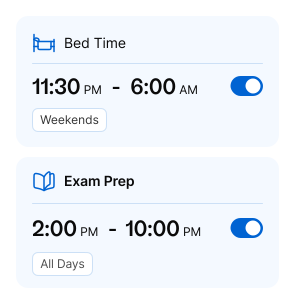
Predictable Schedules
Set school, dinnertime, and bedtime routines. Screen access adjusts.

Built for the moments that usually cause conflict.
These are the situations where routines help most when you need less negotiation, fewer distractions, and a calm way to reset.
School mornings

Keep mornings smooth with simple boundaries that prevent last-minute scrolling.
- Morning routine window
- Limit distracting apps before school
- “We’re leaving” quick pause

After-school downtime
Let kids relax while keeping screen time balanced and easy to manage.

Weekends & special days
Different rules for each day, so you don’t have to worry about keeping track of them all.

Dinner & family time
Use Attention Mode when you need phones down calmly, without a fight.
- one-tap phone pause • resume after dinner • consistent “no phones at the table” rule
Bedtime wind-down
Support healthier sleep with routines that start automatically every night.
Four tools that work together.
Start with one. Add the rest when you’re ready. Kupola keeps the system simple and consistent.
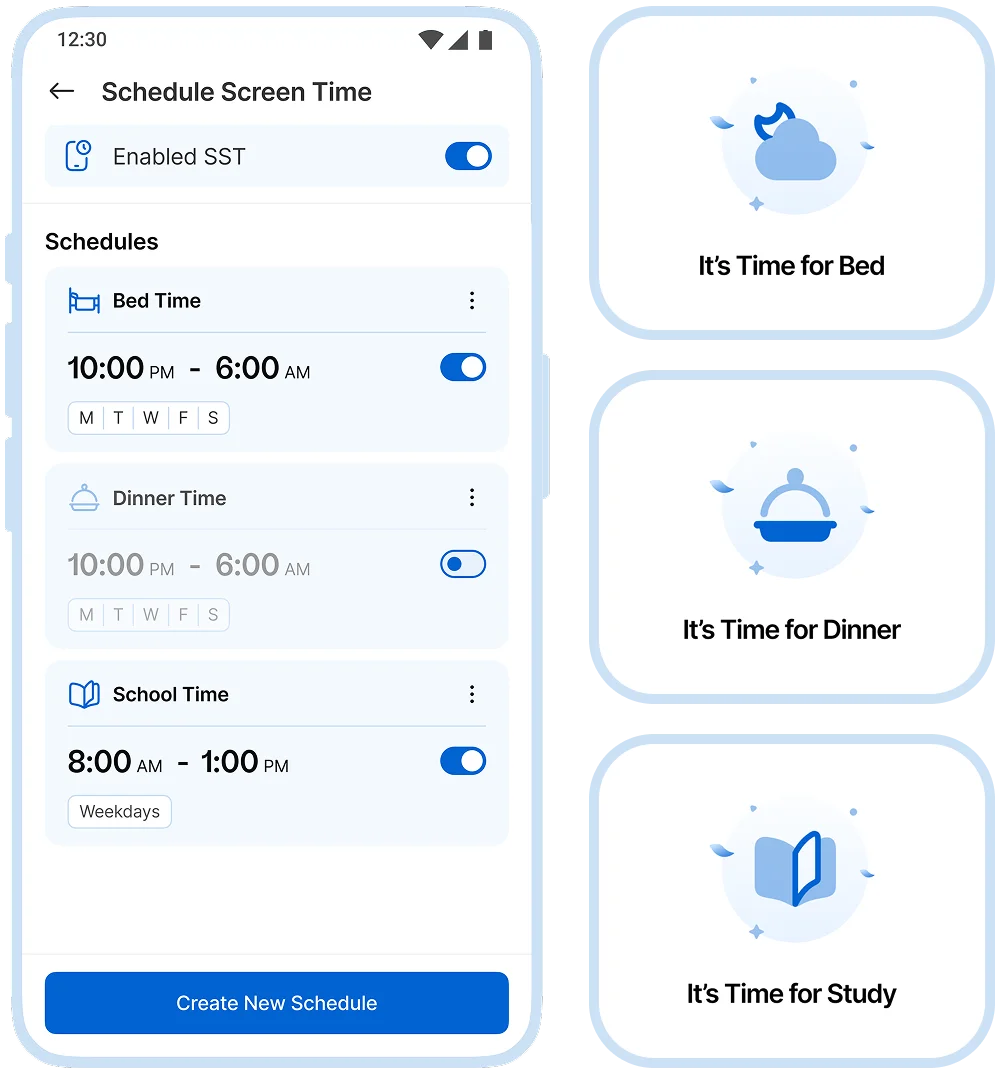
Predictable routines, automatically
Set schedules for school, bedtime, and family time. Screens adjust automatically, so routines stay calm and predictable.
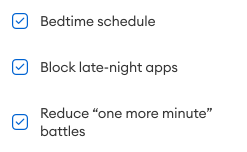
 Set phone limits for bedtime
  Pause screens during dinner time
  Manage phone use during school
  Customize routines to fit your family
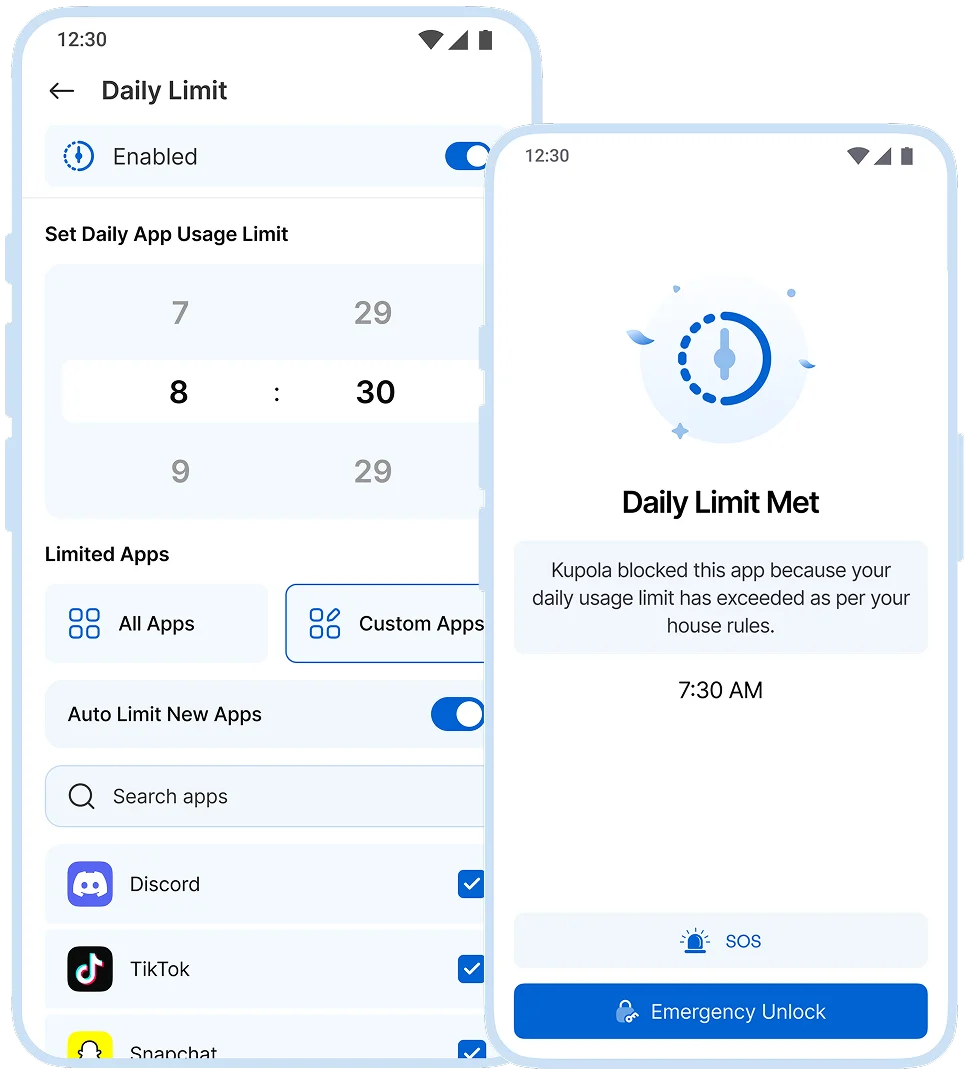
A daily cap that stays fair
Set daily screen-time limits so kids learn balance and you avoid repeated negotiations.
 Set a total daily screen time limit
  Show time remaining on the child’s device
  Adjust limits as habits change
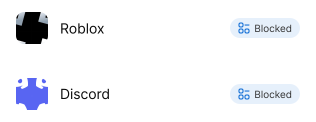
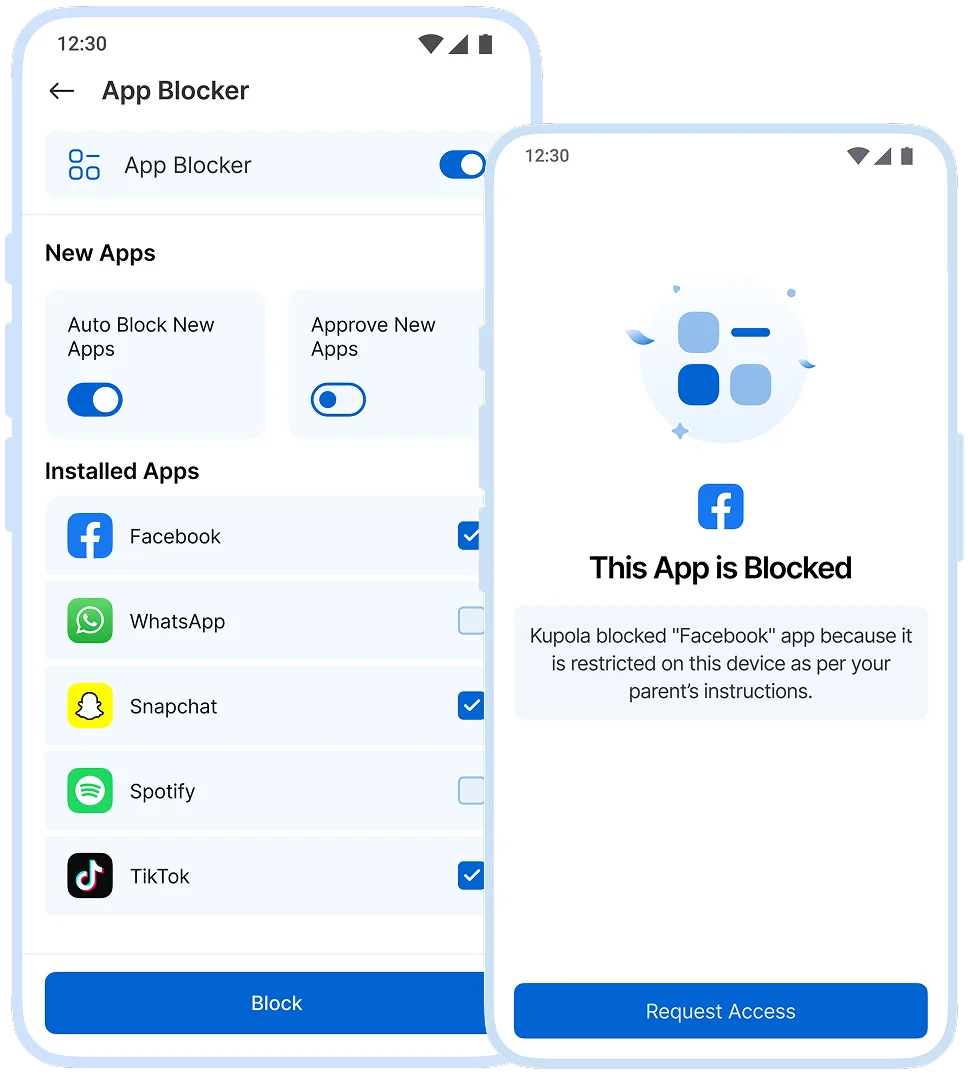
Block distractions that cause conflict
Block specific apps / games you’re not comfortable with or those that consistently derail routines.
 Block social apps during homework
  Block games during sleep hours
  Block newly problematic apps quickly
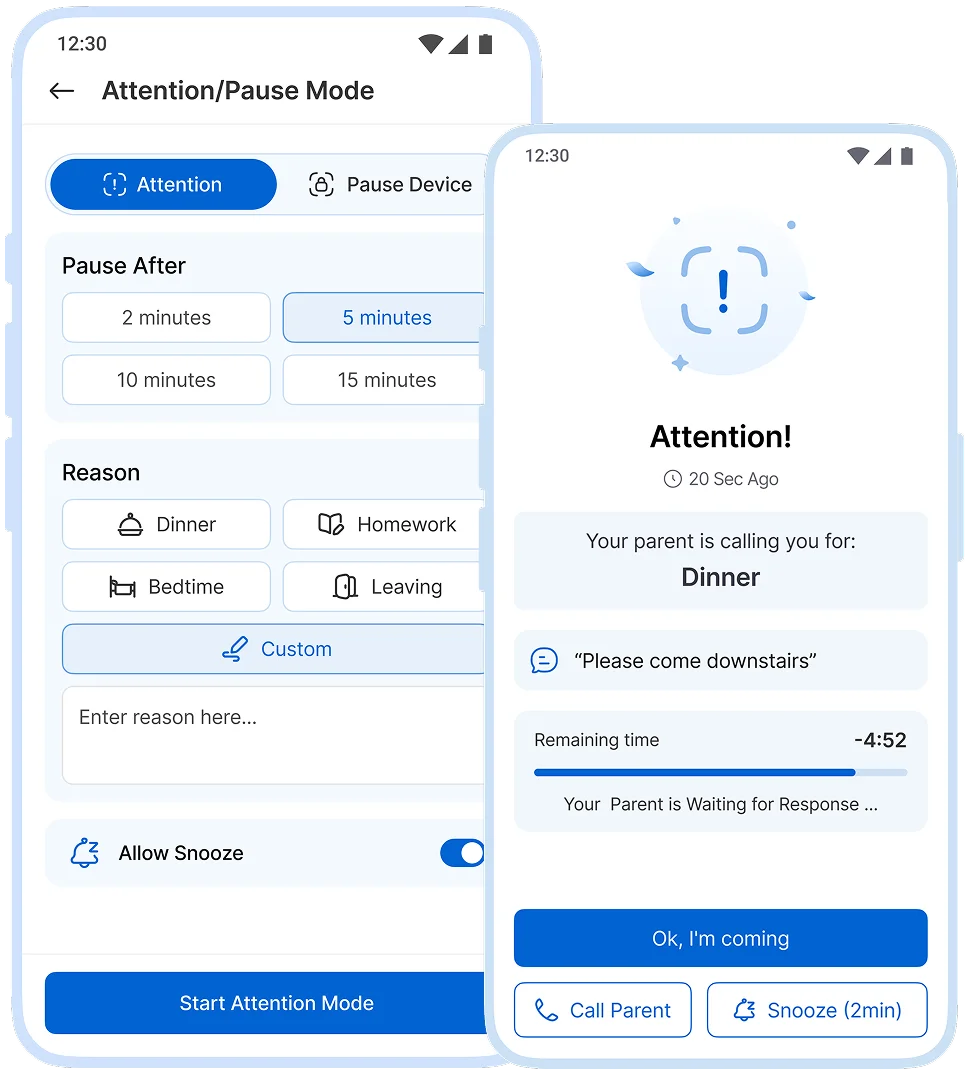
When you need their attention right now
Instantly pause the device during important moments, and then resume with a single tap.
 Lock the phone when attention is needed
  Show lock status on the child’s device
  Update lock rules as routines change
You control what’s enabled for each child, and you can adjust settings anytime.
Set it once. Adjust anytime.
Most families begin with a simple bedtime routine and one daily limit, gradually refining these over the course of a week.
Choose a routine goal
fewer alerts, better ones

Setup Controls
Set a schedule and daily limit

Attention Mode
Use for occasional moments

Review and adjust
app boundaries where needed

Set up in Minutes.
Three steps on two phones, and your family is connected today.
 ~1 min
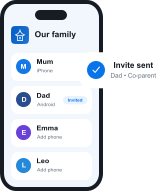
Get Kupola on your phone
Create your family and invite a co-parent or guardian.
 ~2 min
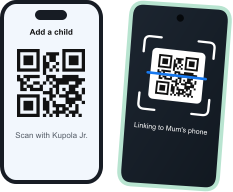
Link your child's phone
Install Kupola Jr. and scan the QR code. Kupola shows what's supported on that phone.
 Done
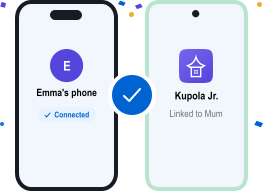
DoneYou're all set
Your family is connected. Turn on the features you need, whenever you're ready.


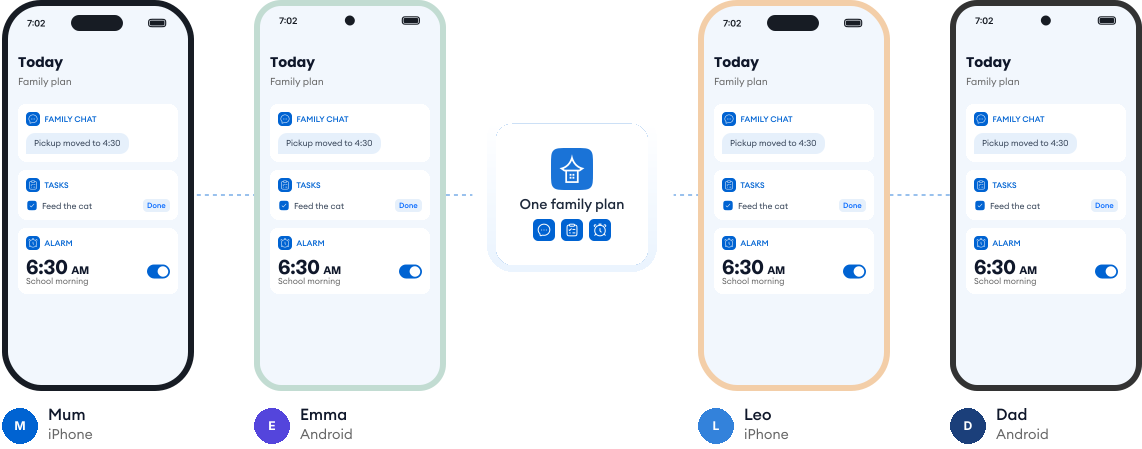
Works on every phone in your family.
Most families use a mix of phones. Kupola works across iPhone and Android, so everyone stays on the same page, and you always see what's available on each child's phone.
Loved by families for harmony.
Real reviews from parents using Kupola day to day.
Sarah M. Mom of two
I finally feel in the loop without checking every little thing. Kupola gives me the right updates at the right time.
Michael R. Dad of a teen
The setup was simple, and the routines actually stuck. It makes expectations clearer for everyone.
Jessica B. Mom & co-parent
We don’t always have the same schedule, but Kupola helps us stay on the same page without extra back-and-forth.
Chris T. Dad of a middle-schooler
I like that it focuses on patterns instead of constant monitoring. It gives me something useful to act on.
Amanda L. Parent of two
The controls are easy to understand, and my kids know what to expect. It’s brought a lot more consistency to our days.
Brian W. Guardian of a teen
I wanted something practical, not intrusive. Kupola gives me the important alerts while still giving them room to grow.
Sarah M. Mom of two
I finally feel in the loop without checking every little thing. Kupola gives me the right updates at the right time.
Michael R. Dad of a teen
The setup was simple, and the routines actually stuck. It makes expectations clearer for everyone.
Jessica B. Mom & co-parent
We don’t always have the same schedule, but Kupola helps us stay on the same page without extra back-and-forth.
Have a question?
Everything you need to know about how Kupola works, what it does, and how you stay in control.
Can I set different routines for weekdays and weekends?
Yes. You can create separate screen time schedules for weekdays and weekends. This makes it easy to allow more flexibility on weekends while keeping school days structured and predictable.
What happens when time runs out?
When the daily screen time limit ends, restricted apps and games are automatically paused. Your child can clearly see that time is over, which helps avoid arguments and keeps rules fair and consistent.
Is Attention Mode permanent?
No. Attention Mode is temporary. You can pause your child’s device when focus is needed—like during homework or dinner and resume access anytime with one tap.
Can I change settings without my child noticing?
Yes. Parents can adjust routines, limits, and app rules quietly from their own device. Changes apply smoothly without interrupting your child or drawing unnecessary attention.
Can I block only certain apps during homework?
Absolutely. You can block distracting apps or games while allowing educational or approved apps to stay available, so your child can focus without losing access to what they need.
Privacy-first by design.
We prioritize privacy with GDPR and COPPA compliance, strong security practices, and clear controls that keep families in charge.

Compliance you can trust
Built with GDPR and COPPA requirements in mind to protect families and children’s data.

Encryption for sensitive data
Data is protected with encryption to reduce the risk of unauthorized access.

Access stays in your family
Child information is only visible to approved parents/guardians in your Kupola family.

Control anytime
Adjust what’s shared, change settings, and manage permissions whenever you need.

Data minimization
We collect only what’s necessary to deliver family safety, routines, and insights.

Clear retention & deletion
Manage history and request deletion when you no longer need the service.
