Set Up your child’s first smartphone with Confidence in Minutes using Kupola
Kupola is a parental control app for screen time management, internet filters, and SafeSearch, plus GPS location tracking and geofence alerts. Set it up in minutes, and change settings anytime.
 No ads
 No credit card
 100% free
Recognized by top app review and tech websites worldwide!




A family app for peace of mind.
Kupola helps families stay safe, build healthier phone habits, and coordinate day-to-day without turning parenting into policing.

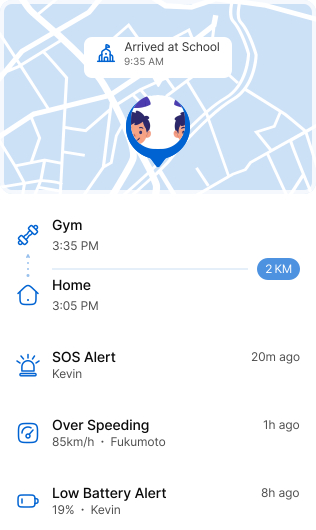
Family Safety
location, places, and alerts for the moments that matter

Healthy Routines
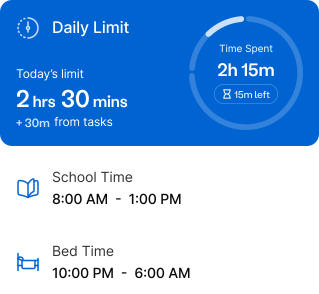
schedules, limits, and quick pauses that stay fair and flexible

Online Safety
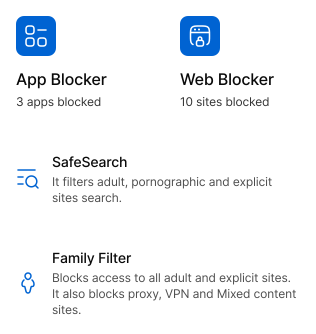
Safer browsing with filters you can adjust anytime

Collaboration
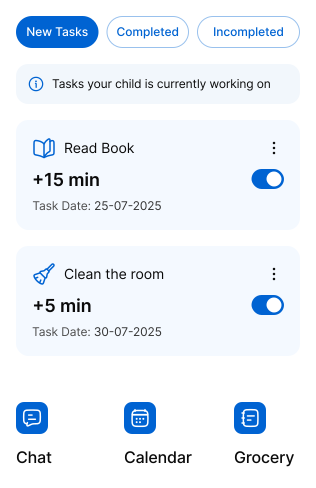
tasks, calendars, lists, and chat to keep everyone aligned

Insights
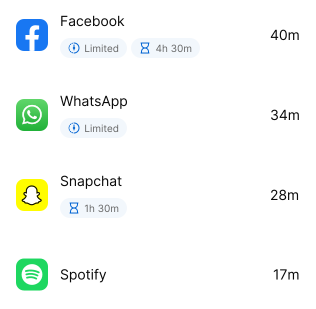
Simple summaries that help you guide, not guess
Most Used Apps
Designed to reduce stress.
Kupola keeps things calm, clear, and consistent so routines, safety, and collaboration actually work day to day.
Calm Notifications fewer alerts, better ones

Clear Controls what’s on, what’s off, and why

Fair Routines kids can understand and follow

Simple Collaboration that keep everyone aligned

Built for everyday family life.
Kupola helps you handle everyday situations, including pickups, homework, online curiosity, and “where are you?” moments, without turning your day into constant monitoring.
Commutes & meetups
Stay connected when it matters without constant checking.
- Live location during commutes or meetups.
- Geofence alerts for home, school, or practice.
- Low-battery heads-up before they go offline.
Safer browsing & search
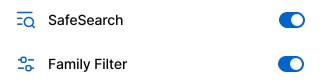
Help keep search results and websites age-appropriate while kids explore online.
School, pickups & after school plans
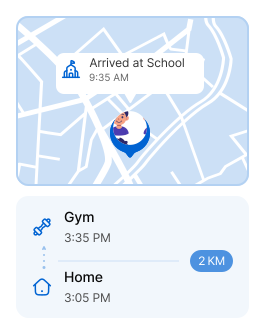
Get the right update at the right time: when they arrive, when they leave, or when plans change.
Shared parenting & busy families
Keep everyone aligned parents, guardians, and kids in one calm family space.
- • tasks & lists • family calendar • family chat
Set schedules that feel fair no negotiations every day!
Attention Mode
Instant phone lock, when needed
Organized by what families do.
Pick one area to start with. Add more over time. Kupola stays calm and simple as your child grows.
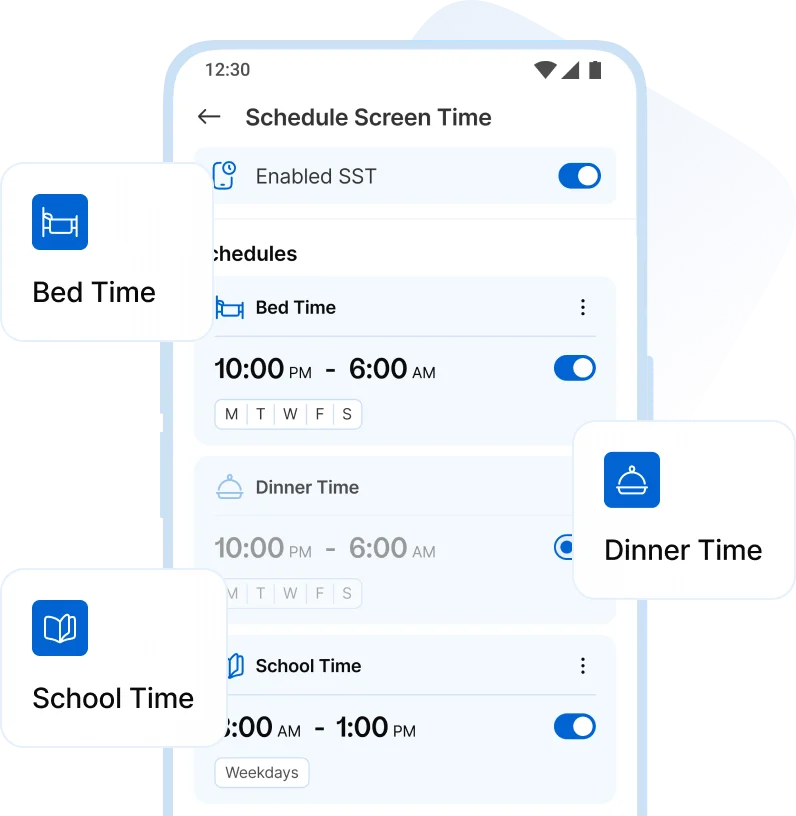
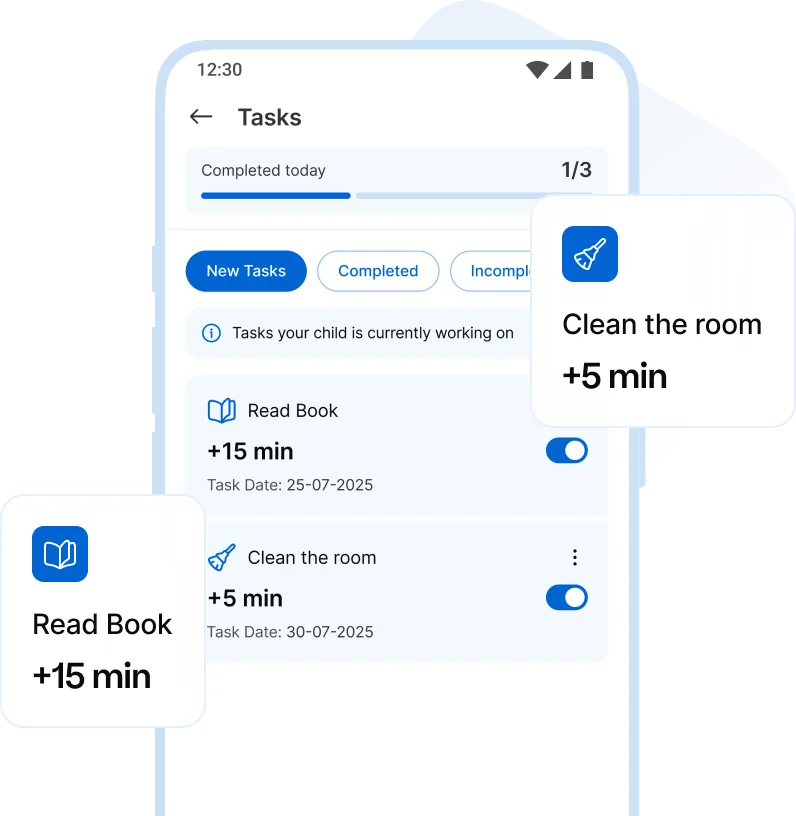
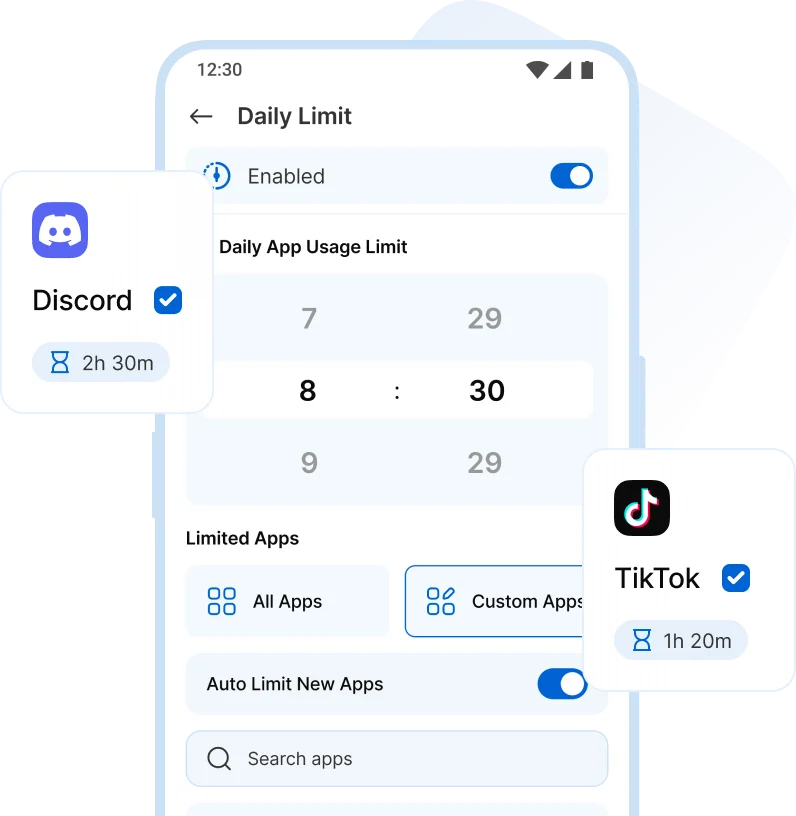
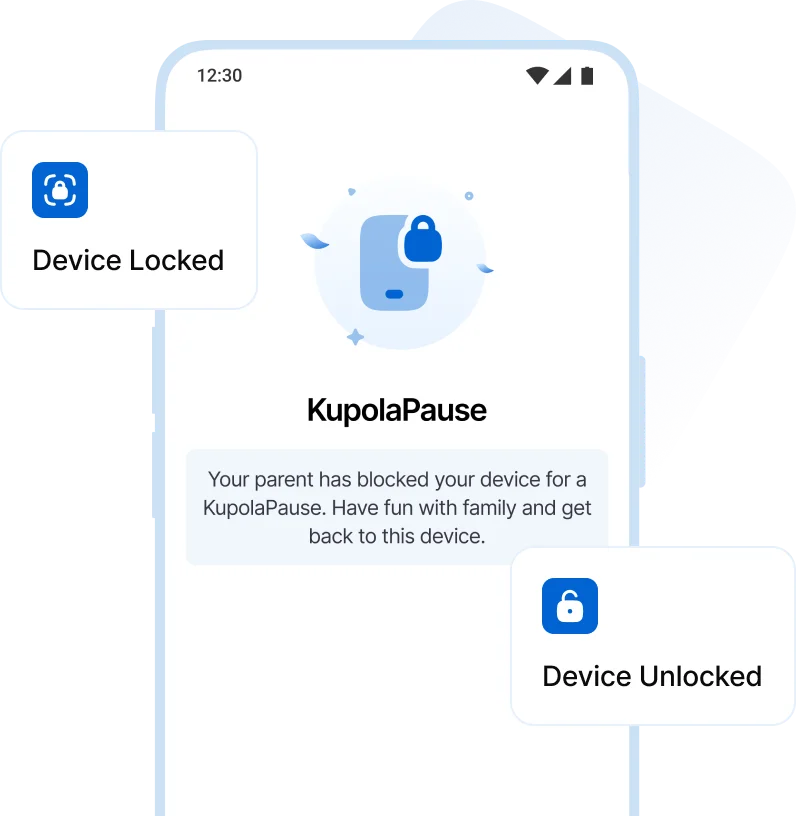
Screen Time Management
Set daily screen limits, create screen time schedules, and guide your child toward healthy screen habits with clear routines and gentle controls.
-
 Screen Time schedules
-
 Tasks & Rewards
-
 Daily App Limit
-
 instant Phone lock
App & Content Restrictions
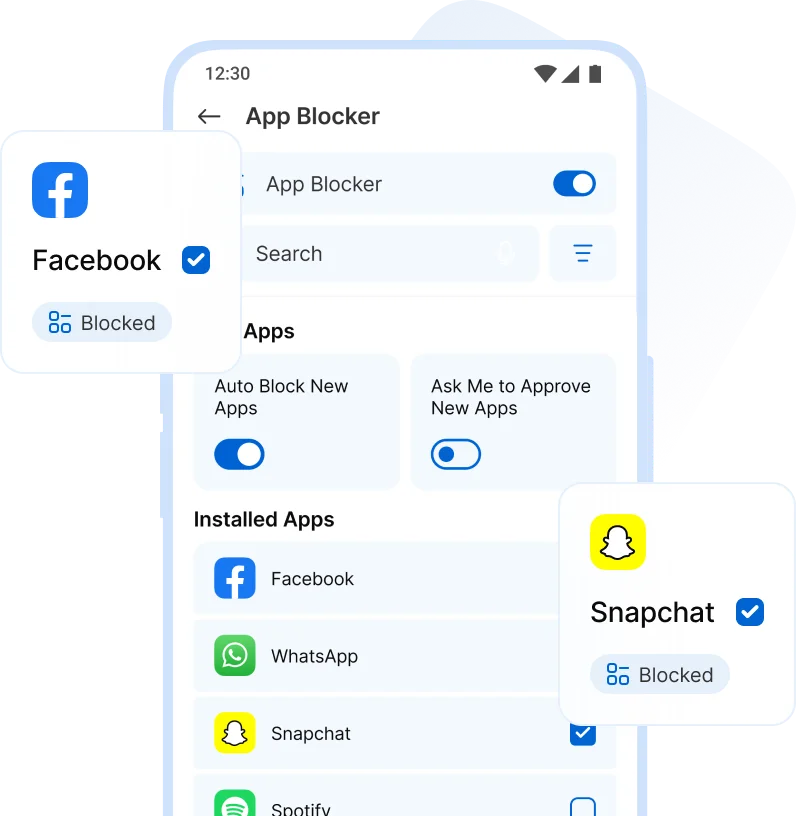
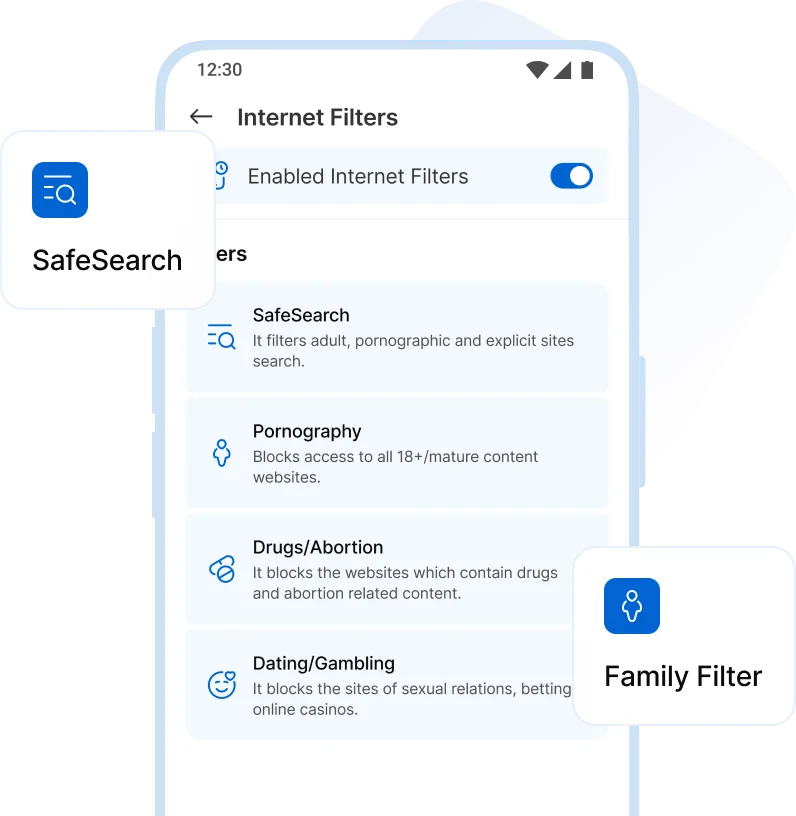
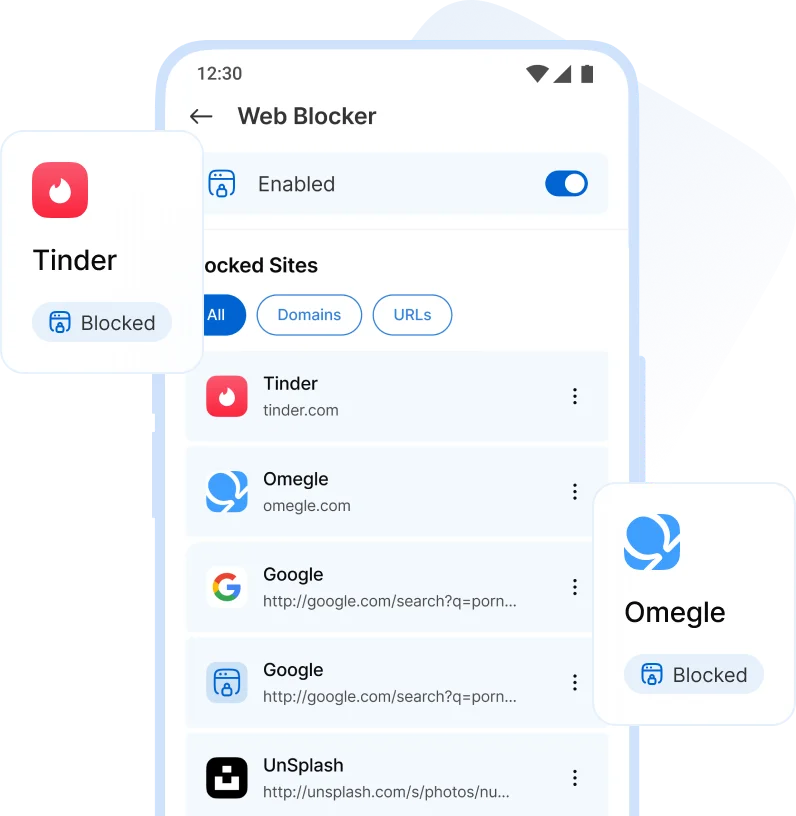
Parents can block specific apps, games, and websites, and use internet filters to keep online experiences age-appropriate and clearly defined.
-
 App Blocker
-
 Internet Filters
-
 Web Blocker
Location Tracking & Safety
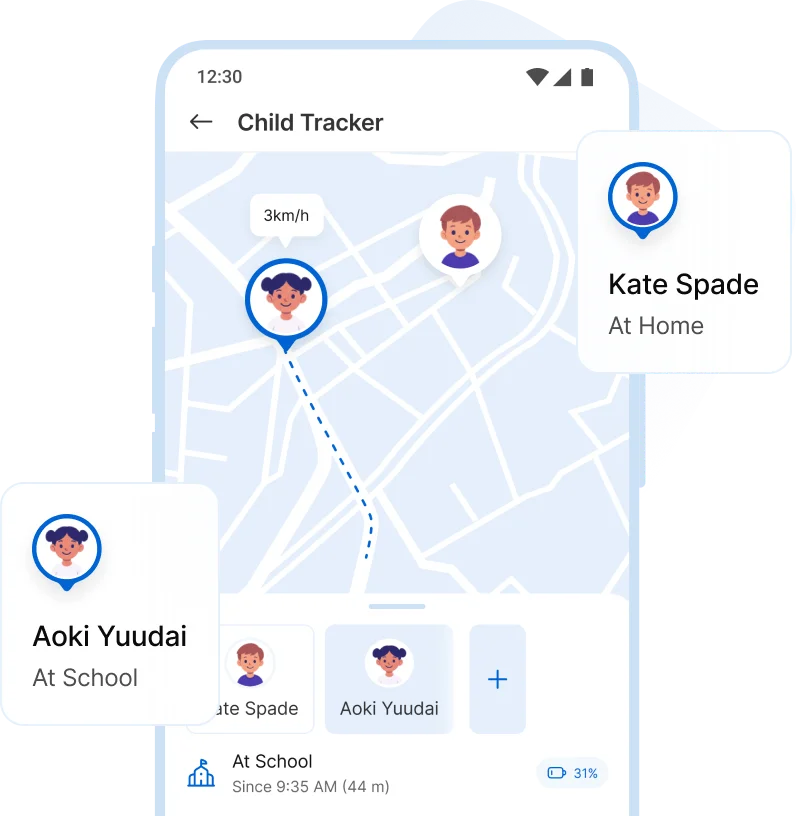
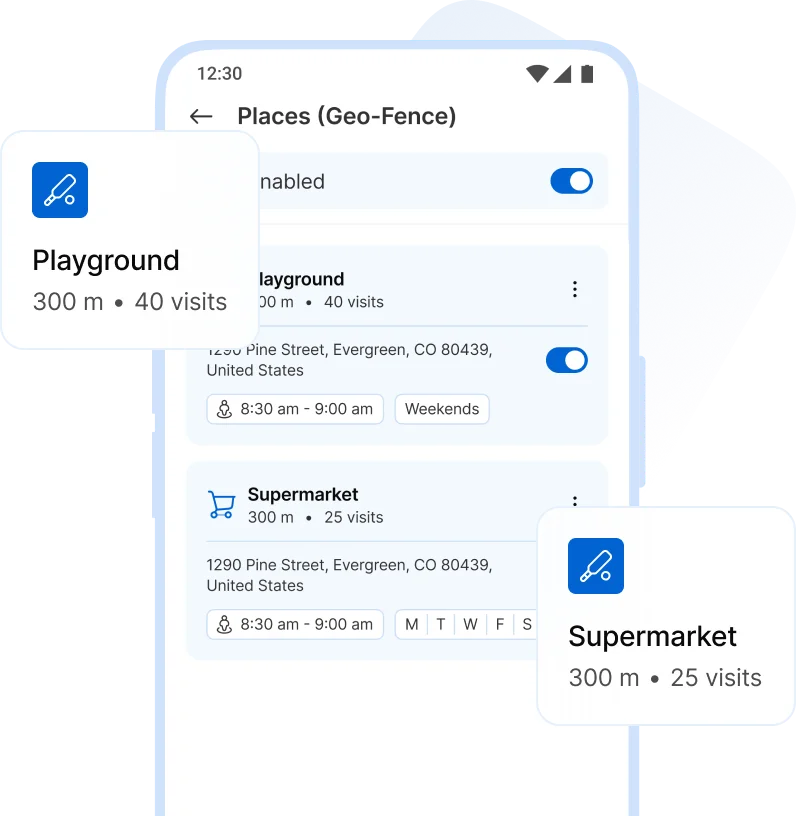
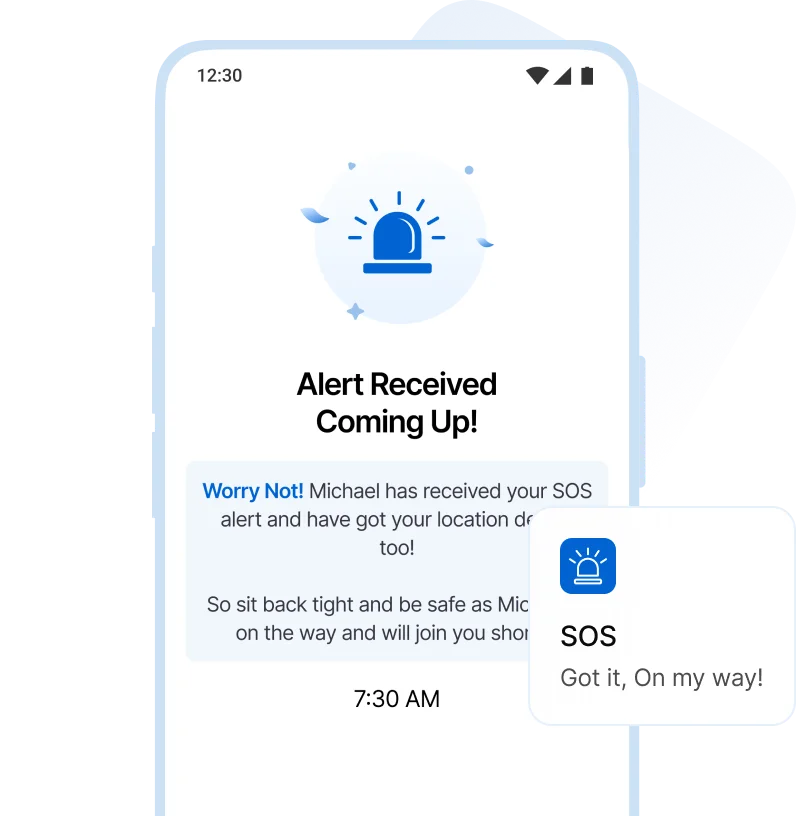
Track your child’s location, view recent places, set safe zones, and receive SOS alerts when attention is needed.
-
 Locations
-
 Child Tracker
-
 Geo-Fence
-
 SOS Alerts
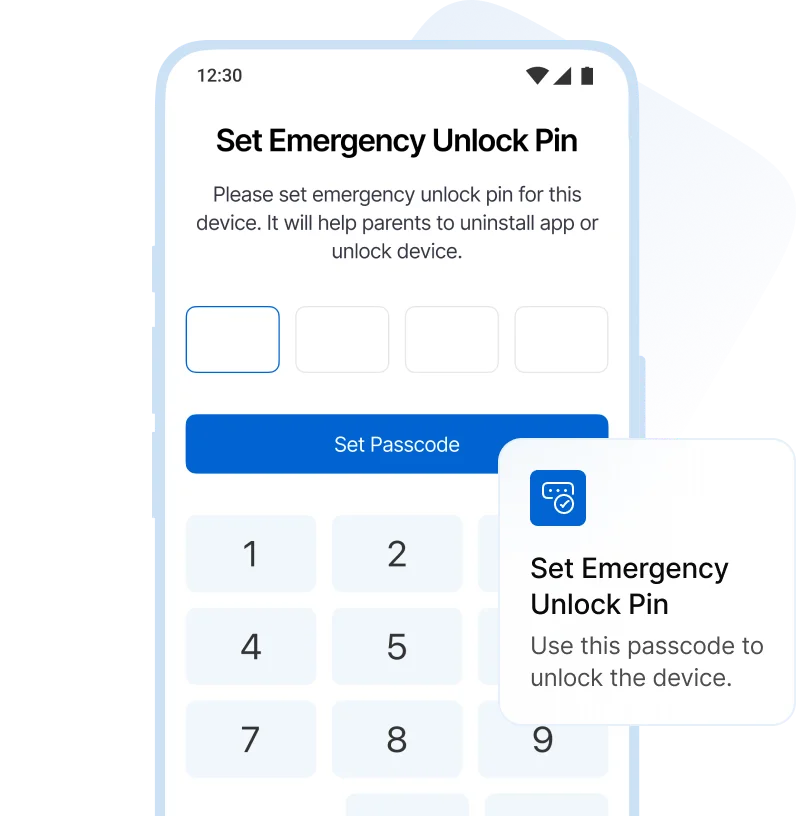
Device Management
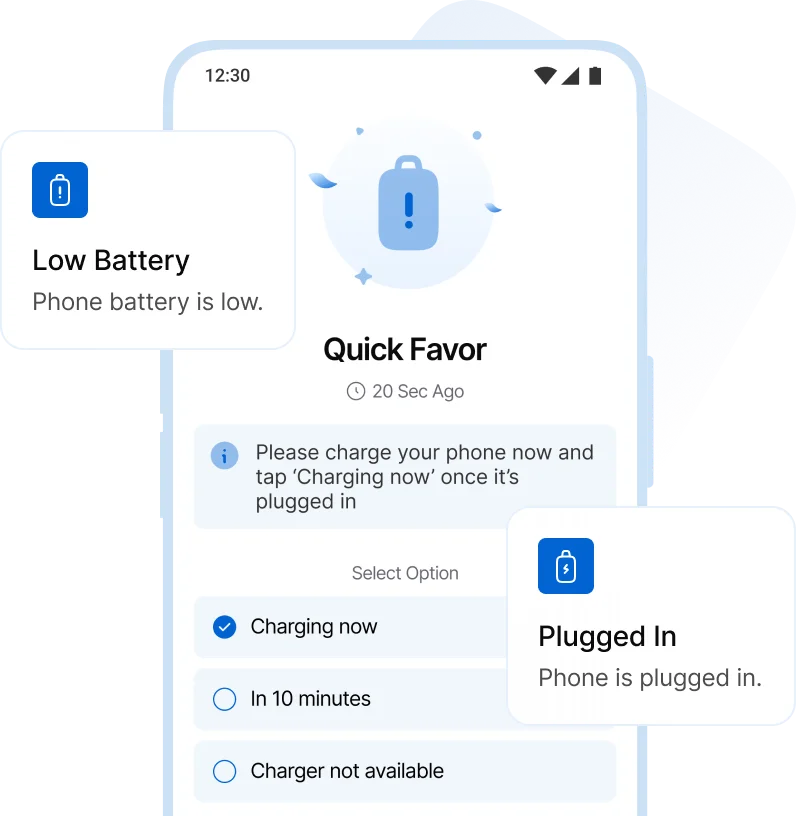
Stay informed with low battery alerts and manage device passcodes to keep access secure and predictable.
-
 Low battery Alerts
-
 Device Passcode
Usage Insights
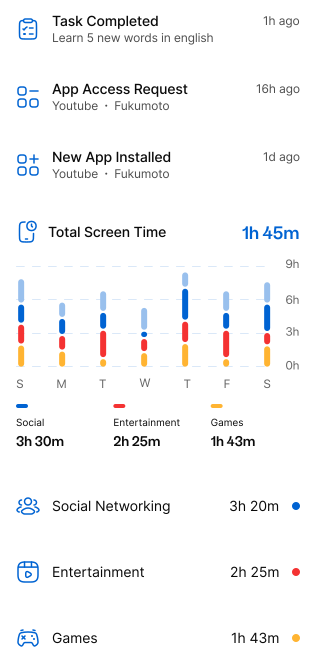
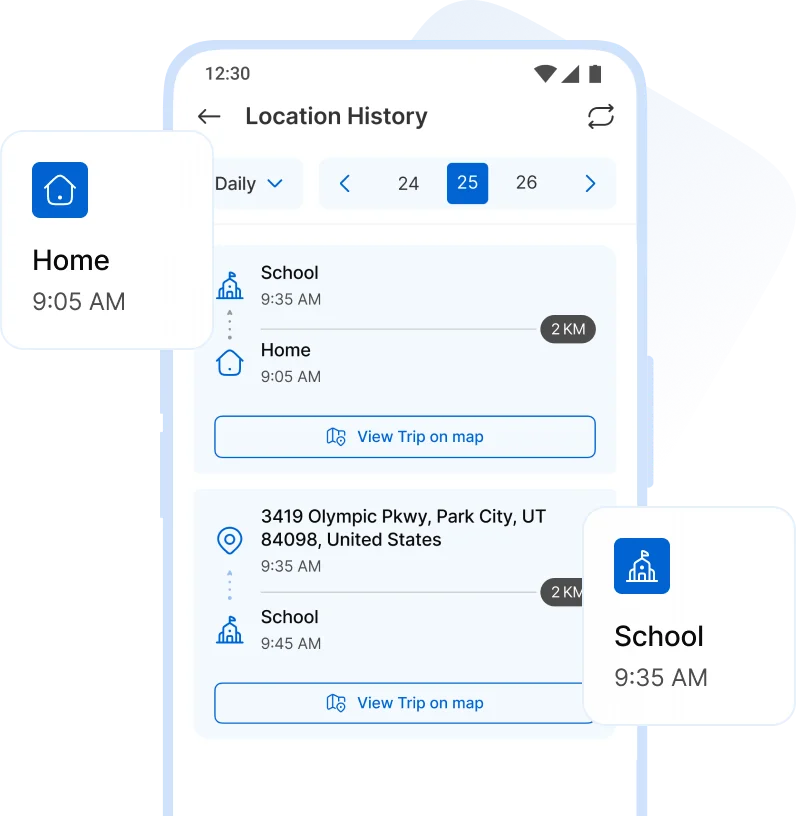
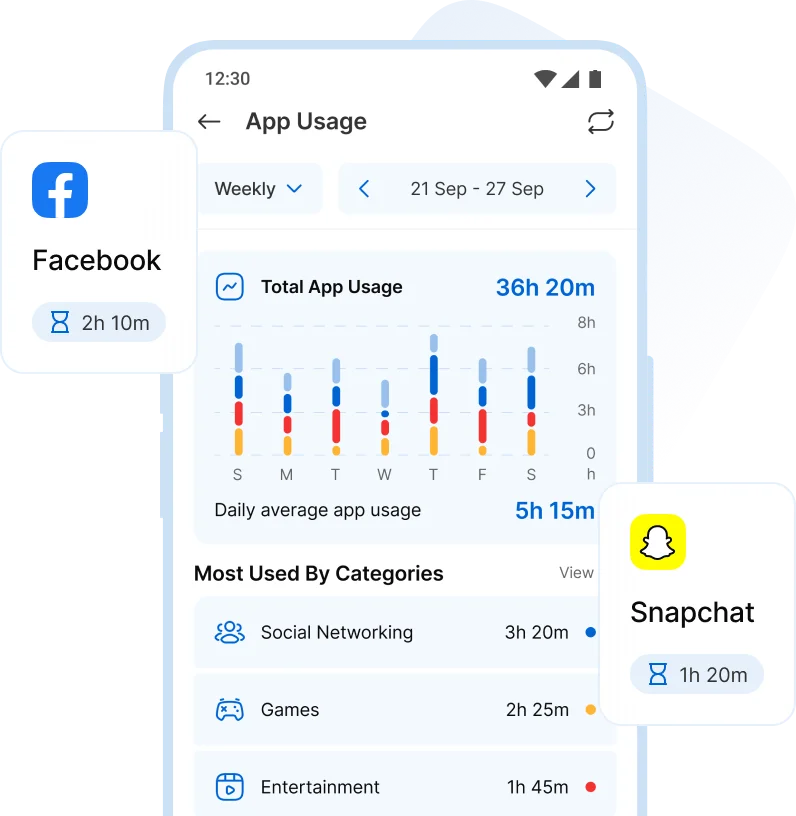
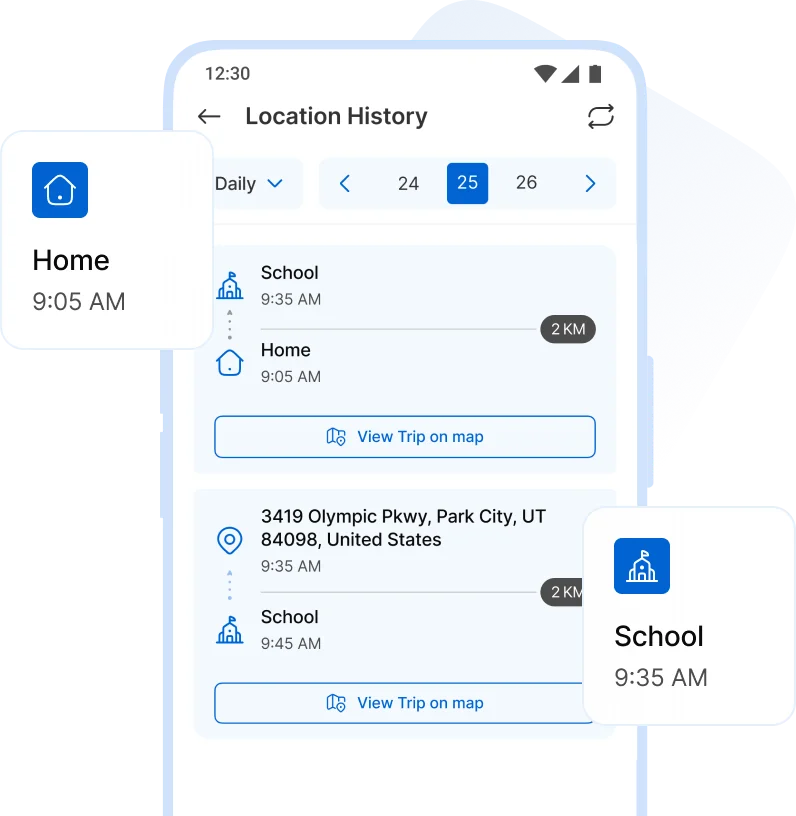
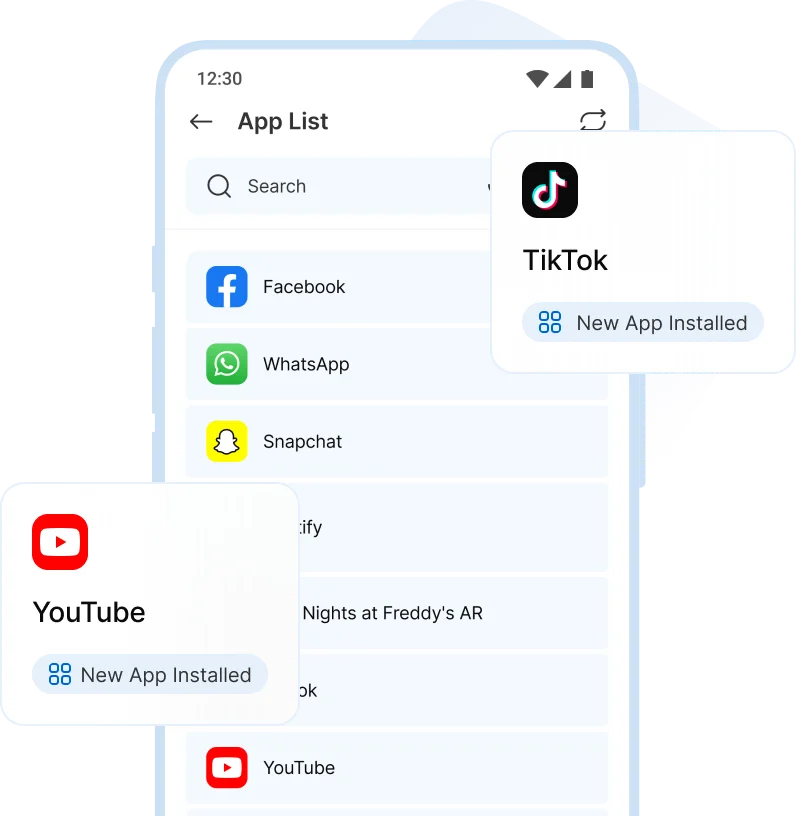
View app usage, recent locations, and installed apps to understand habits and guide your child with clarity.
-
App Usage
-
Location History
-
App List
Set up in Minutes!
Follow three simple steps to quickly download, effortlessly connect, and manage your family's devices seamlessly.
-
Step 1
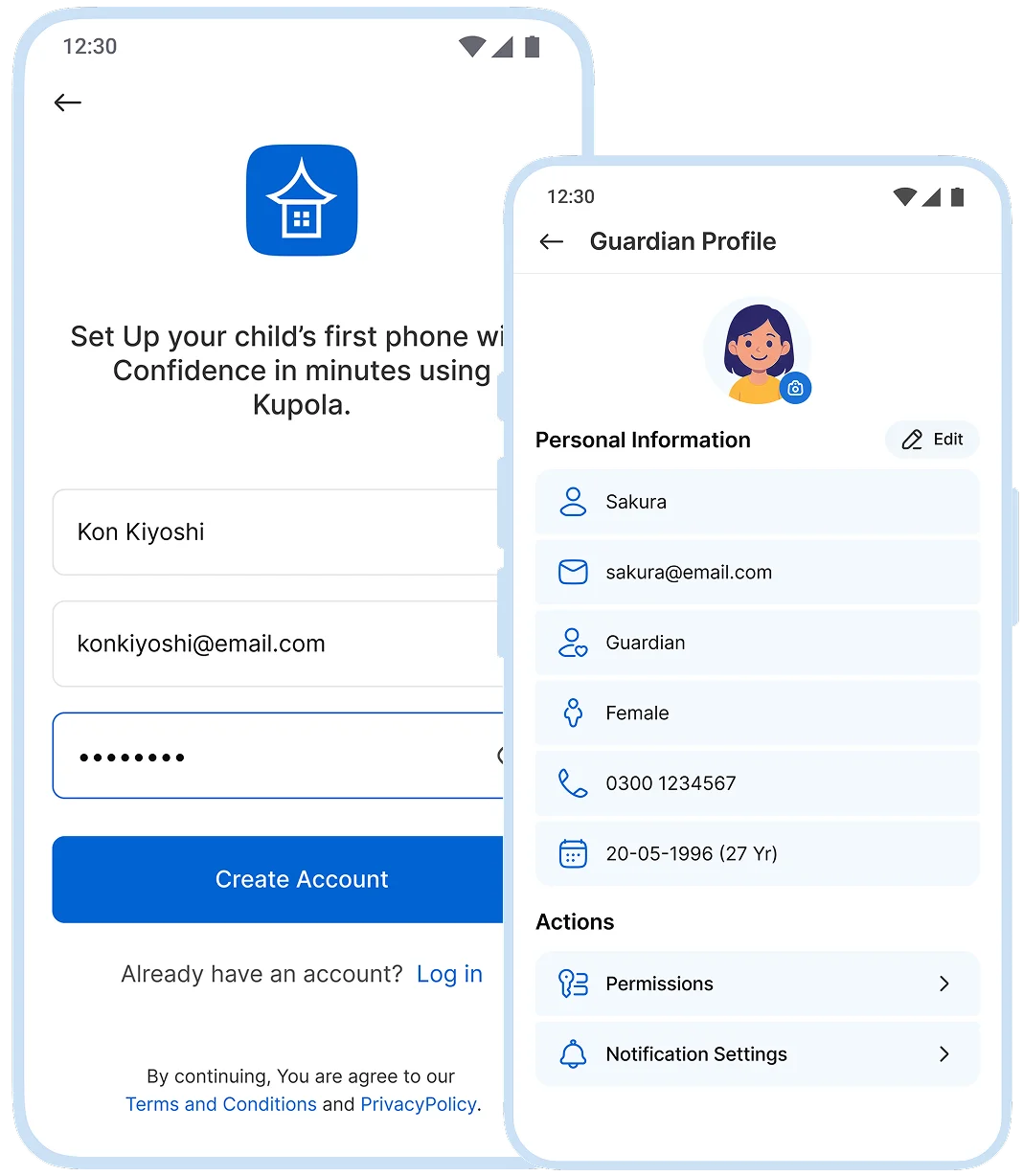
Create your family
Create your account, add guardians, and choose who can manage settings.
-
Step 2
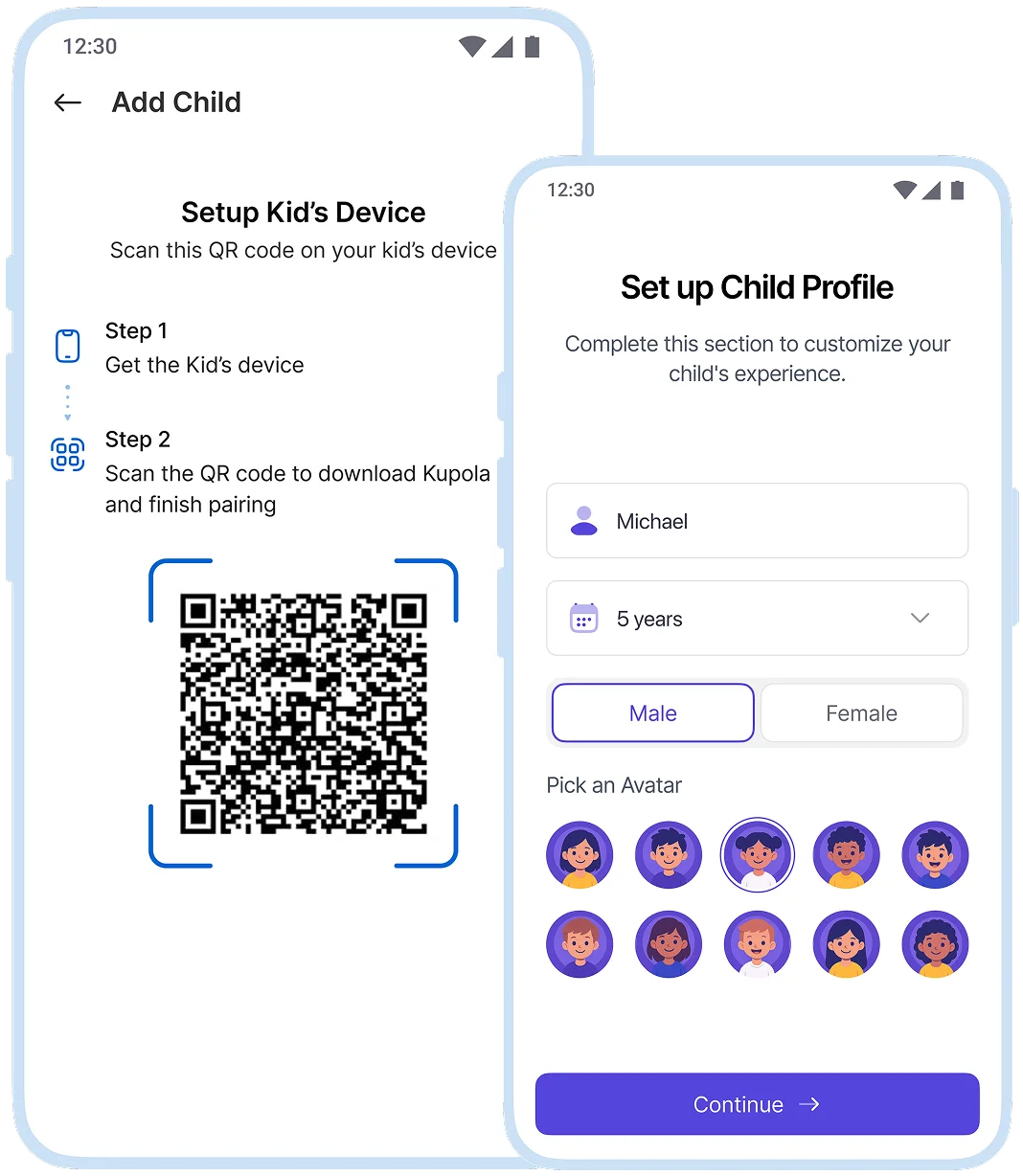
Add your child
Connect your child’s device with guided steps. Kupola labels what’s supported on that phone.
-
Step 3
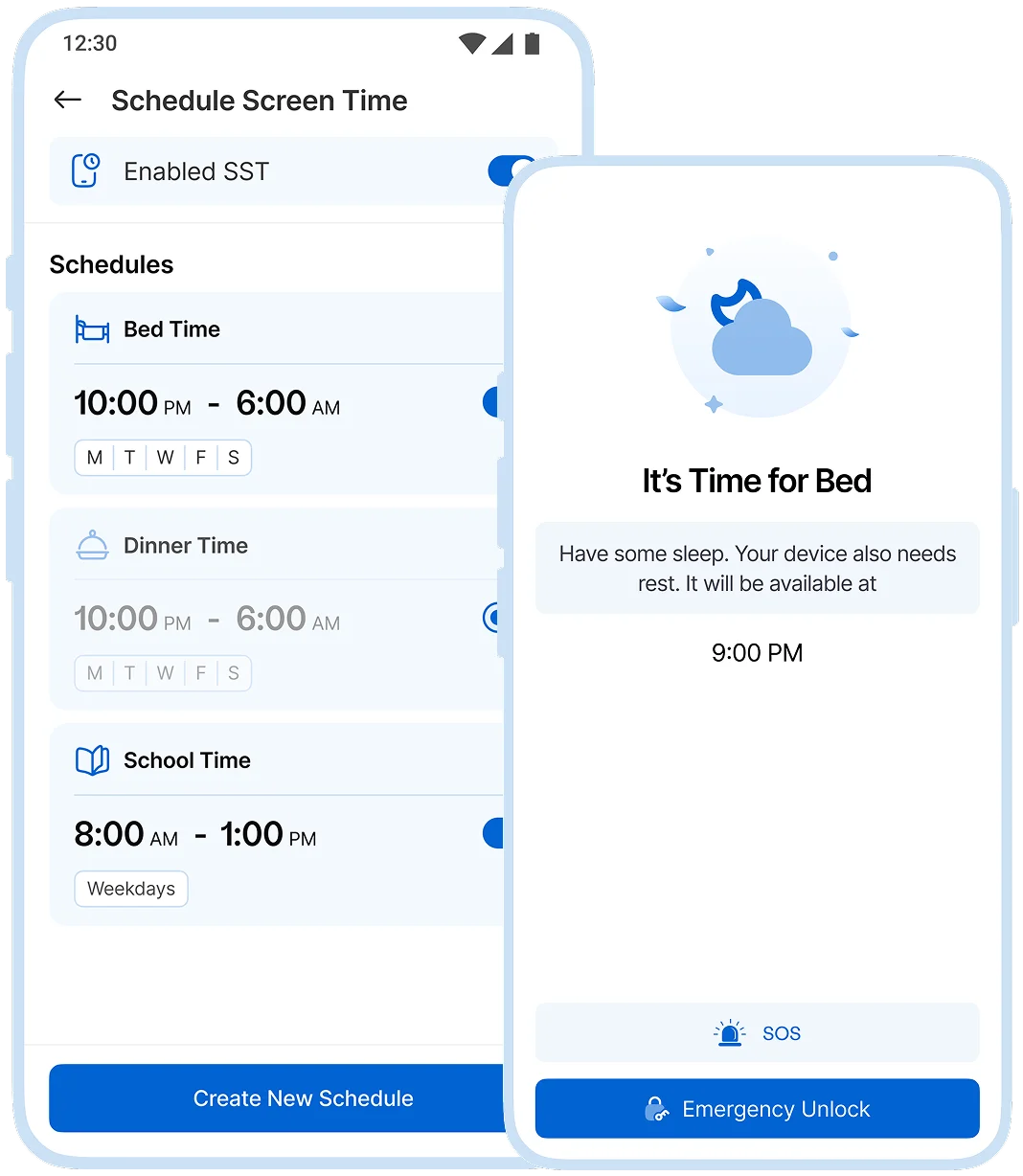
Turn on your first protection
Pick one: bedtime schedule, SafeSearch, or a school geofence. Get value immediately.
-
Step 4
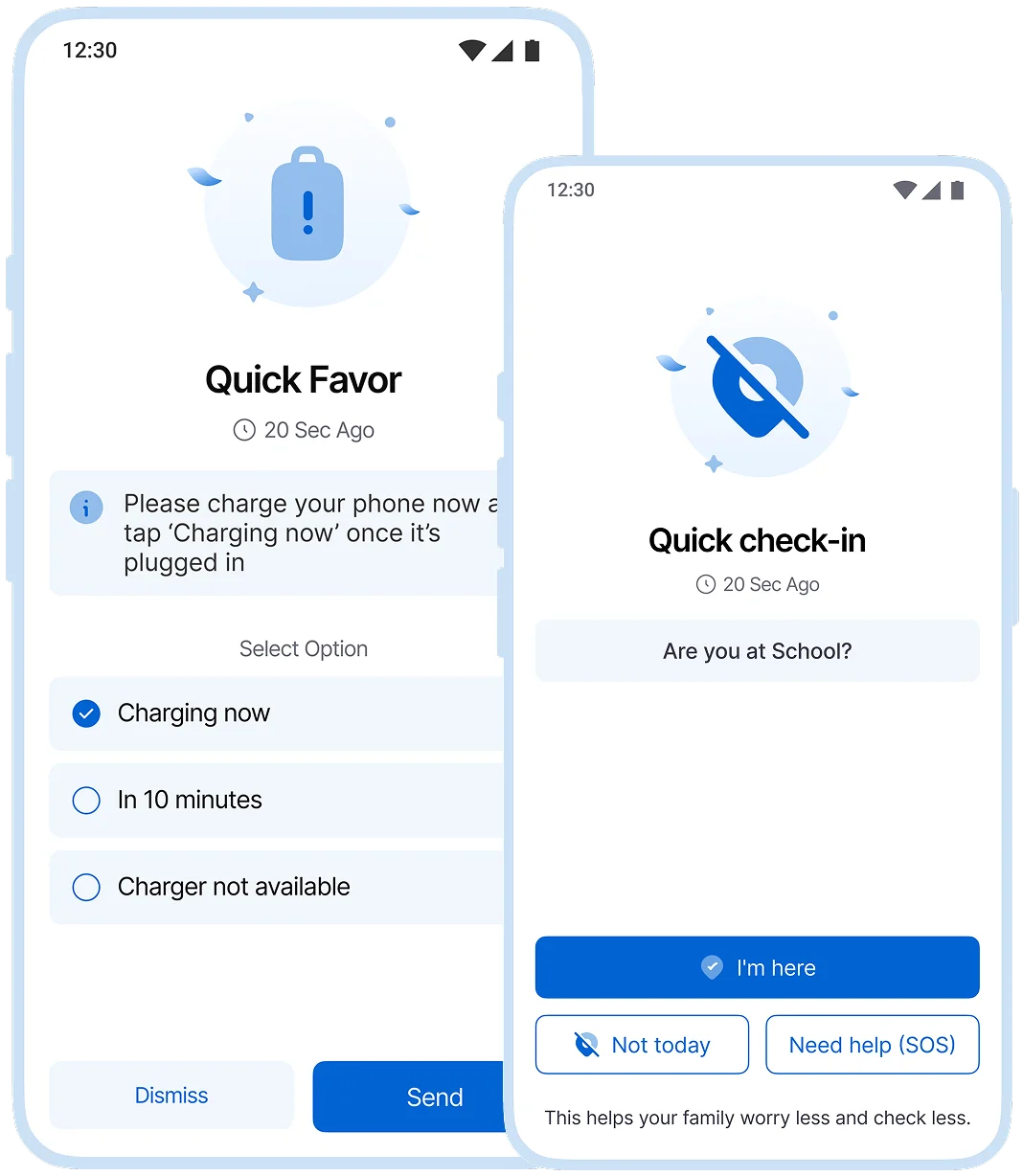
Add smart alerts and boundaries
No-show and low-battery alerts, app blocking, and Attention Mode, only if you want them.
No-show and low-battery alerts, app blocking, and Attention Mode only if you want them.
Works across iOS and Android.
Every family uses a mix of devices. Kupola is built to stay useful on both platforms—and to show you exactly what’s available on each child’s phone.

iPhone / iPad (iOS)
Best for family essentials and coordination
- Location tracking to check in when it matters
- Geofence alerts for home, school, and key places
- Internet filters + web blocker to support safer browsing
- Collaboration tools like tasks, calendar, lists, family tree, and chat

Android
Full Kupola experience and deeper device controls
- Everything from iOS essentials and coordination
- Stronger enforcement options where Android allows
- More flexible routines with advanced scheduling
- Richer insights & device context to help you guide habits with confidence
Loved by families for harmony.
Real reviews from parents using Kupola day to day.
Aiko S. Mom of two
Setup took minutes. Now bedtime and homework aren’t a daily argument.
Daniel K. Dad of a middle-schooler
I don’t want to hover. Kupola gives me the few signals that actually matter.
Mina T. Parent & co-guardian
Co-parenting features make it easy. We stay consistent, even when we’re busy.
Lina P. Parent of a teen
The insights are useful without feeling creepy. It’s more guidance than surveillance.
Hiro N. Dad of three
The routines feel fair, and the controls are clear. No drama, just structure.
Kenji R. Guardian (uncle)
I only need safety and key alerts. Kupola keeps it simple and respectful.
Aiko S. Mom of two
Setup took minutes. Now bedtime and homework aren’t a daily argument.
Daniel K. Dad of a middle-schooler
I don’t want to hover. Kupola gives me the few signals that actually matter.
Mina T. Parent & co-guardian
Co-parenting features make it easy. We stay consistent, even when we’re busy.
Have a question?
Everything you need to know about how Kupola works, what it does, and how you stay in control.
-
Can I change schedules anytime?
Yes. You can adjust schedules at any time, and changes take effect right away. Routines are easy to pause, edit, or resume so you stay in control without locking anything in permanently.
-
Does Kupola work on iOS and Android?
Yes. Kupola works on both iOS and Android, so families can manage devices across platforms from one parent account.
-
How do Internet Filters and SafeSearch work?
Kupola filters inappropriate content at the network level and enforces SafeSearch in supported browsers. When filters are on, they are clearly shown on the child’s device. Nothing is hidden or secret.
-
Can I set different routines for weekdays vs weekends?
Yes. You can create separate schedules for weekdays and weekends. This makes it easier to support school routines during the week and allow more flexibility on weekends.
-
How do geofence alerts work?
Geofence alerts notify you when your child arrives at or leaves specific places like school or home. Alerts are event based, so you get reassurance without needing to check constantly.
-
What does Kupola track and how do I control it?
Kupola only tracks what is needed to support safety and routines, such as screen time, app usage, and location when features are enabled. You can turn features on or off at any time and clearly see what is being collected.
Privacy-first by design.
We prioritize privacy with GDPR and COPPA compliance, strong security practices, and clear controls that keep families in charge.

Compliance you can trust
Built with GDPR and COPPA requirements in mind to protect families and children’s data.

Encryption for sensitive data
Data is protected with encryption to reduce the risk of unauthorized access.

Access stays in your family
Child information is only visible to approved parents/guardians in your Kupola family.

Control anytime
Adjust what’s shared, change settings, and manage permissions whenever you need.

Data minimization
We collect only what’s necessary to deliver family safety, routines, and insights.

Clear retention & deletion
Manage history and request deletion when you no longer need the service.
